Control Center
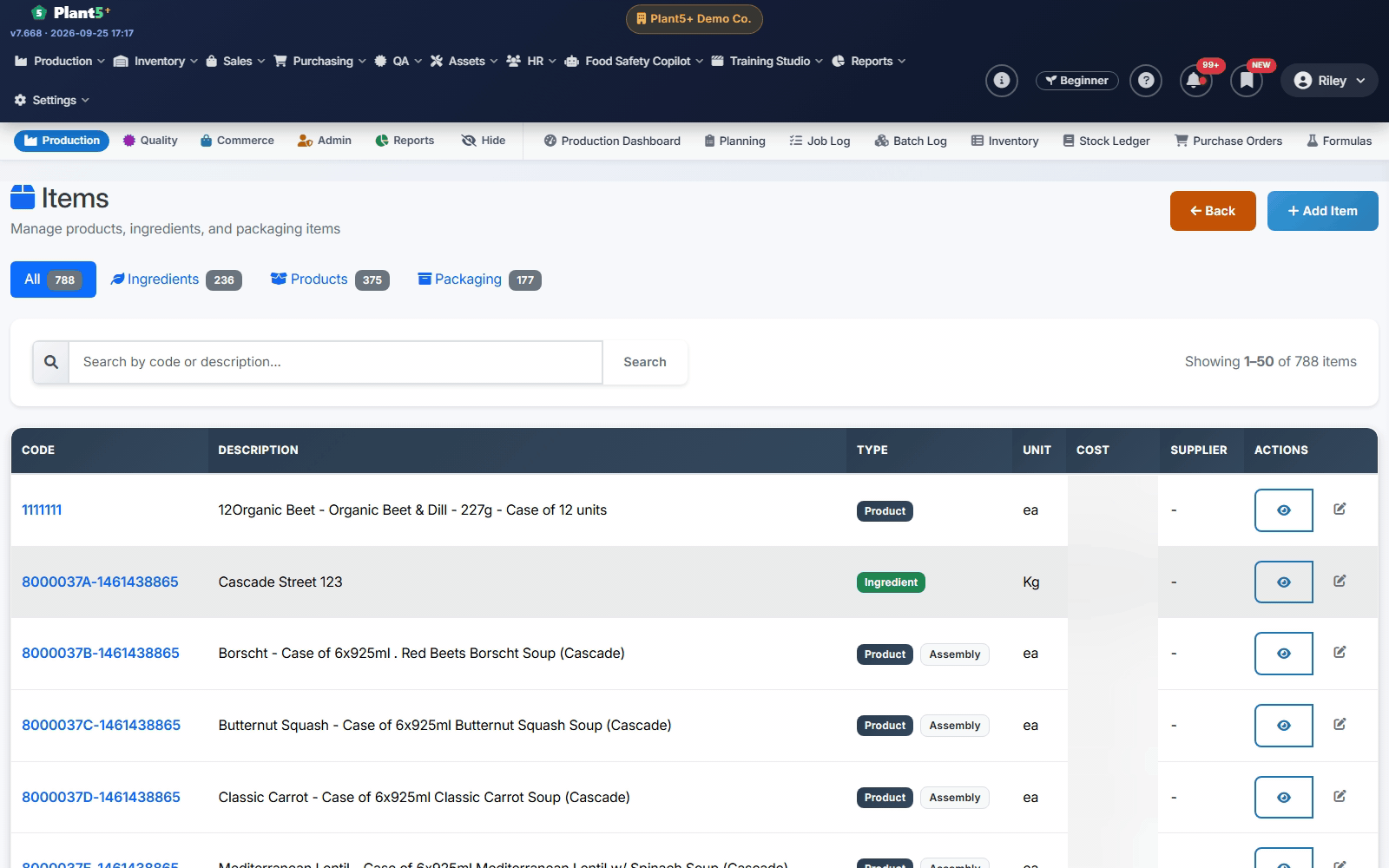
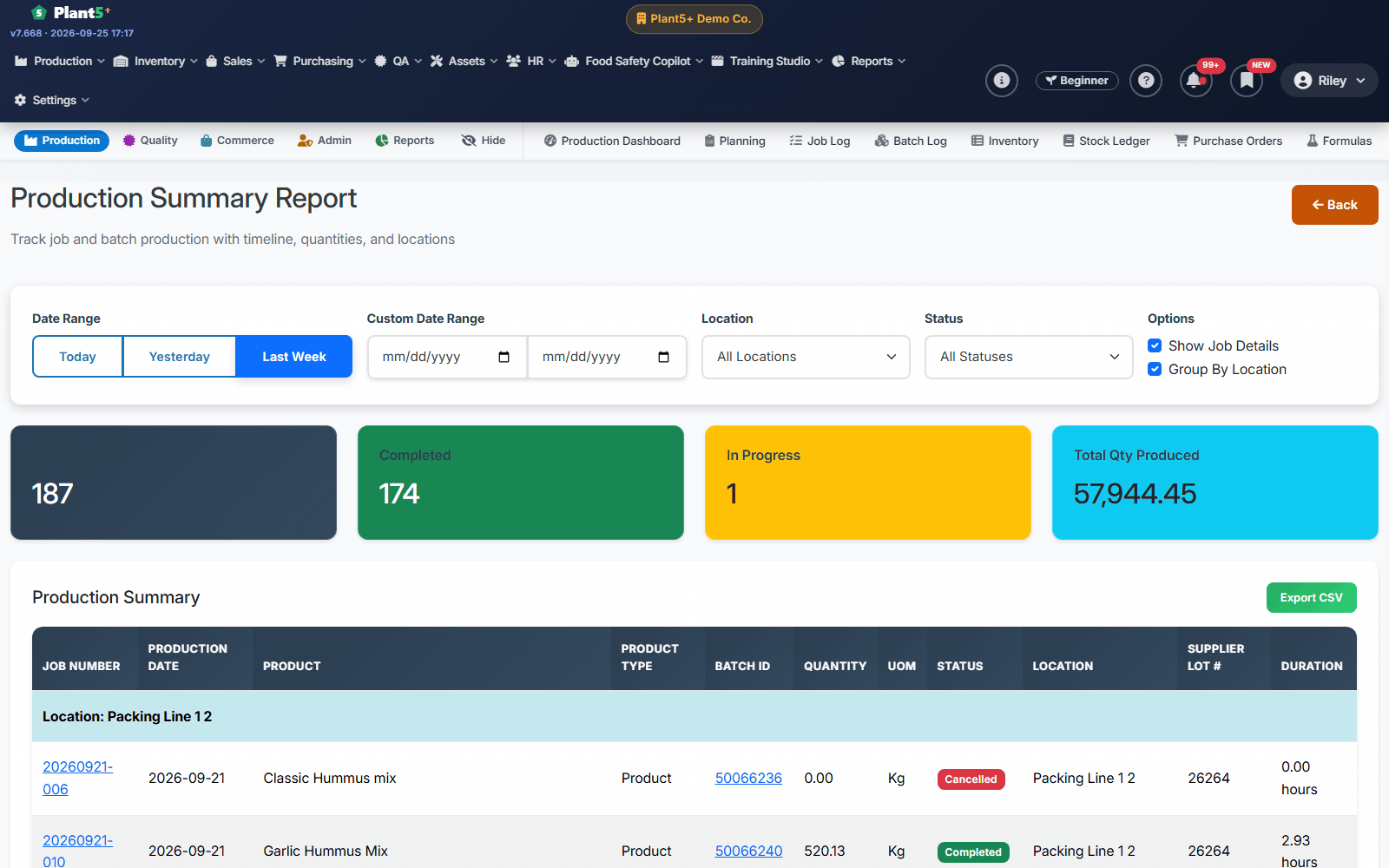
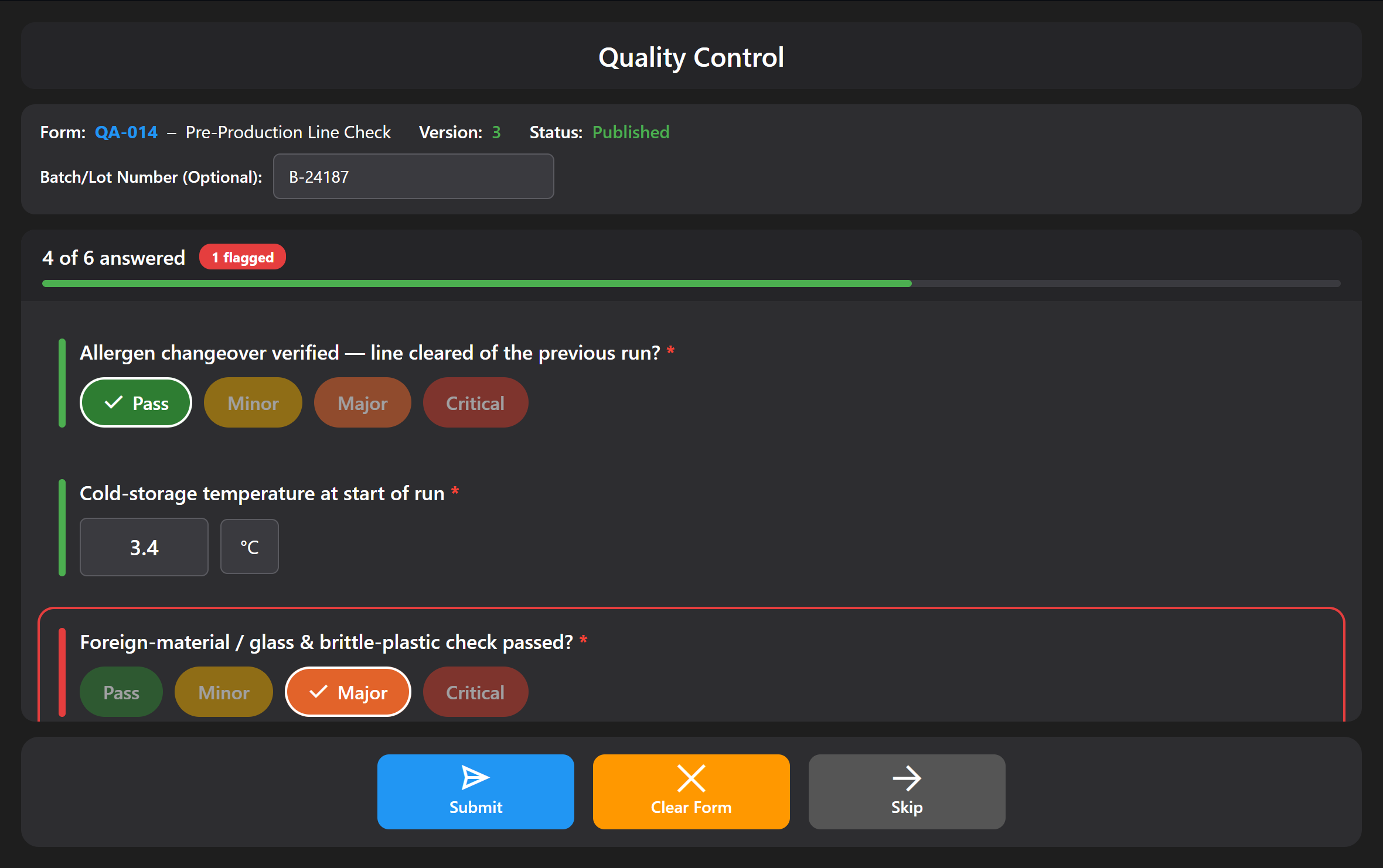
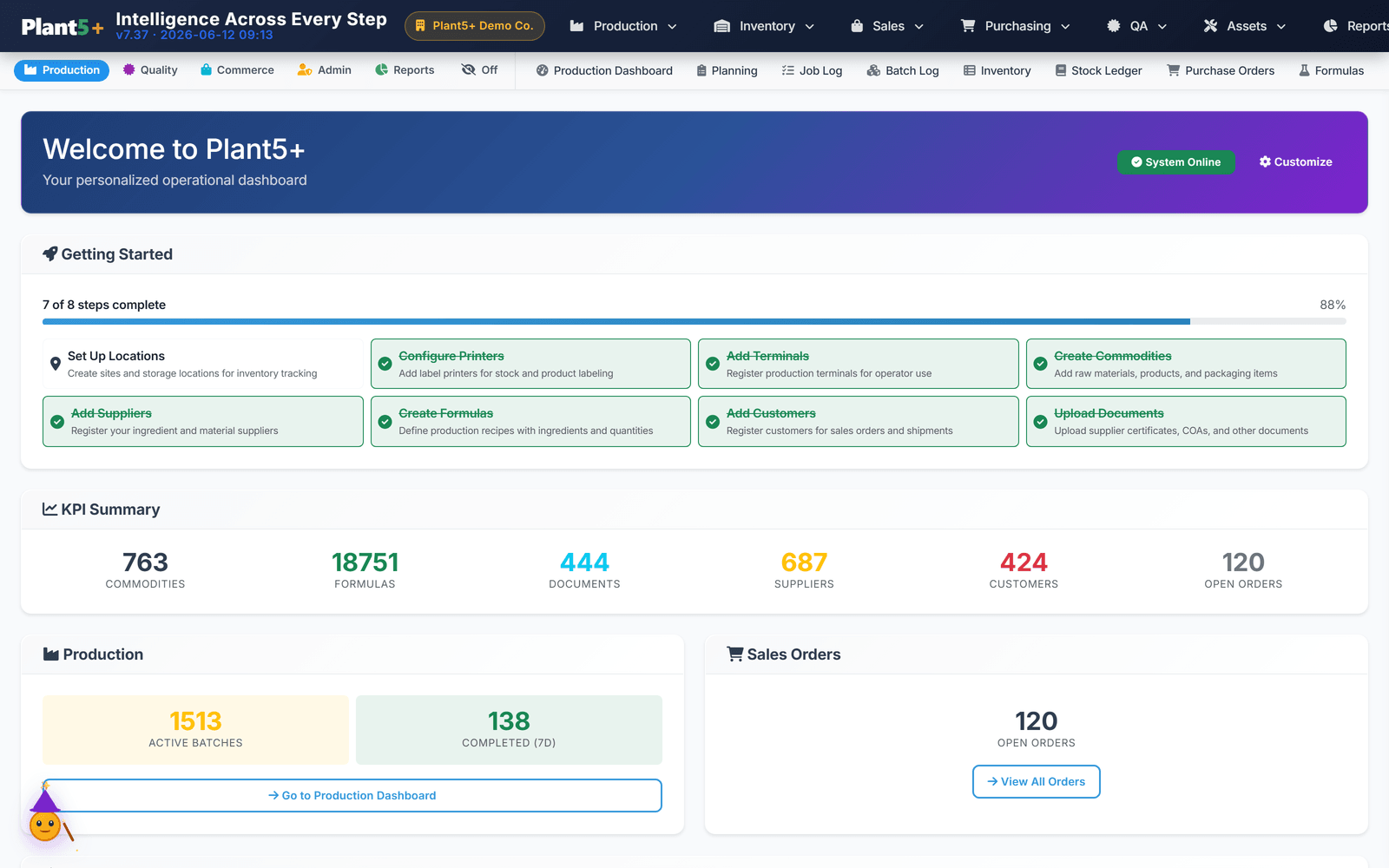
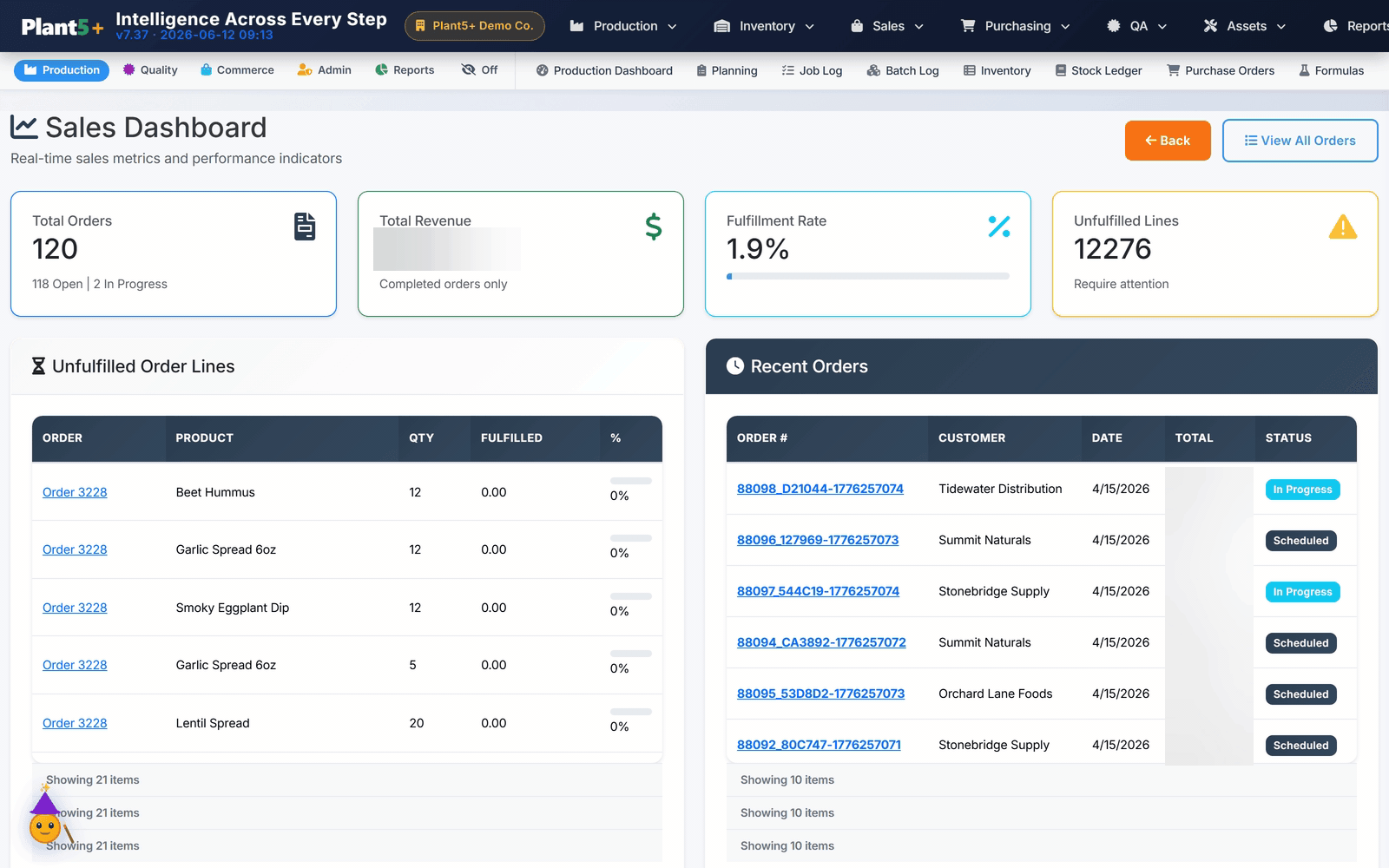
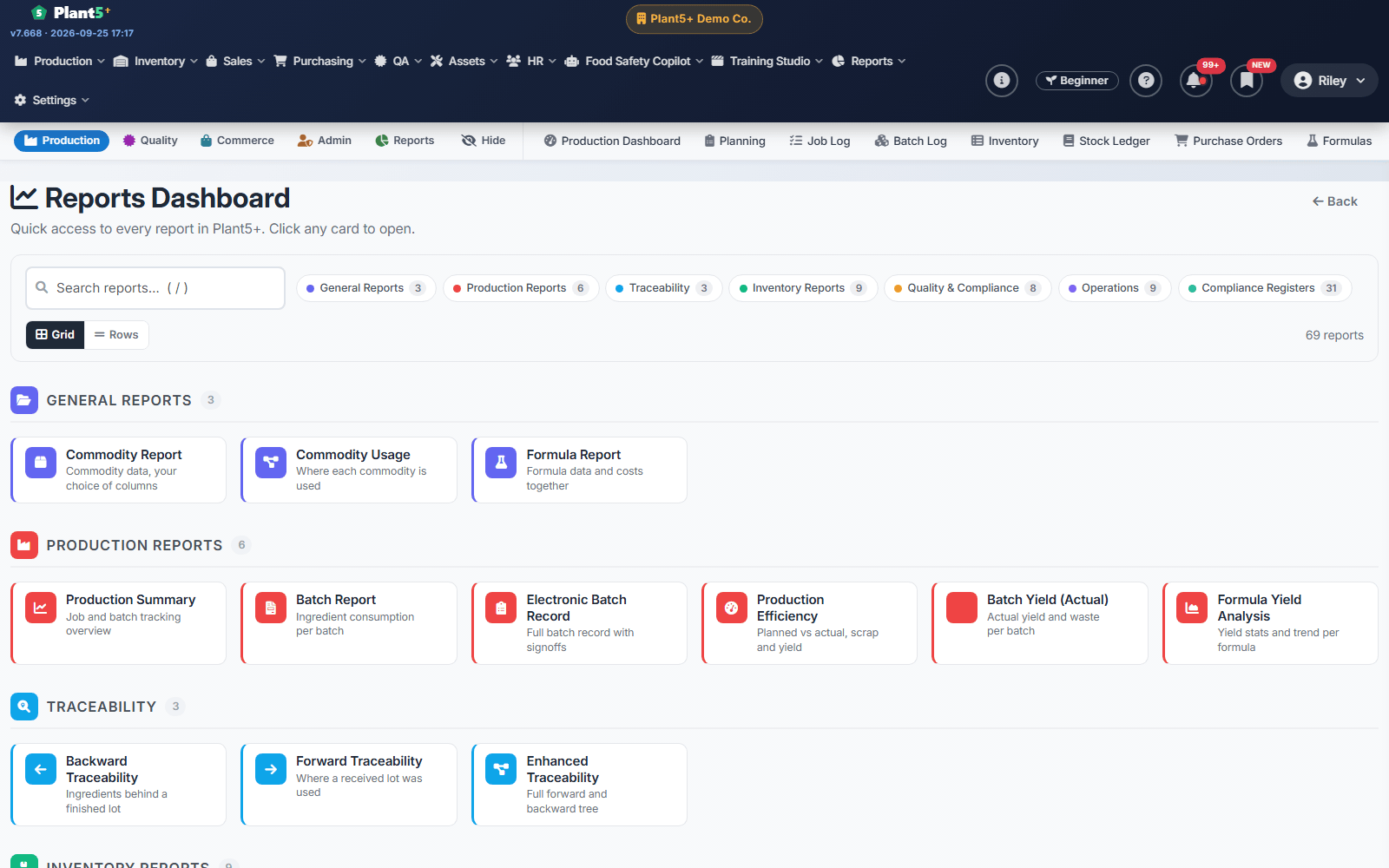
Bring production planning, inventory, quality records and reporting into one browser-based workspace. Give the office a shared view of the work happening across the plant.
Explore Control Center →One platform · everything connected
Control Center for planning and oversight. Terminal for production. WMS for receiving and stock. Picking for pick-and-ship on handheld scanners. QB Sync for your QuickBooks Desktop accounting workflow. Plant5+ connects the people running your food plant, from the office to the floor.
2-month free trial · No credit card · No contracts · Cancel anytime
Choose the right workspace for each team. Explore what each product does, then see the complete workflow in a guided demo.
Bring production planning, inventory, quality records and reporting into one browser-based workspace. Give the office a shared view of the work happening across the plant.
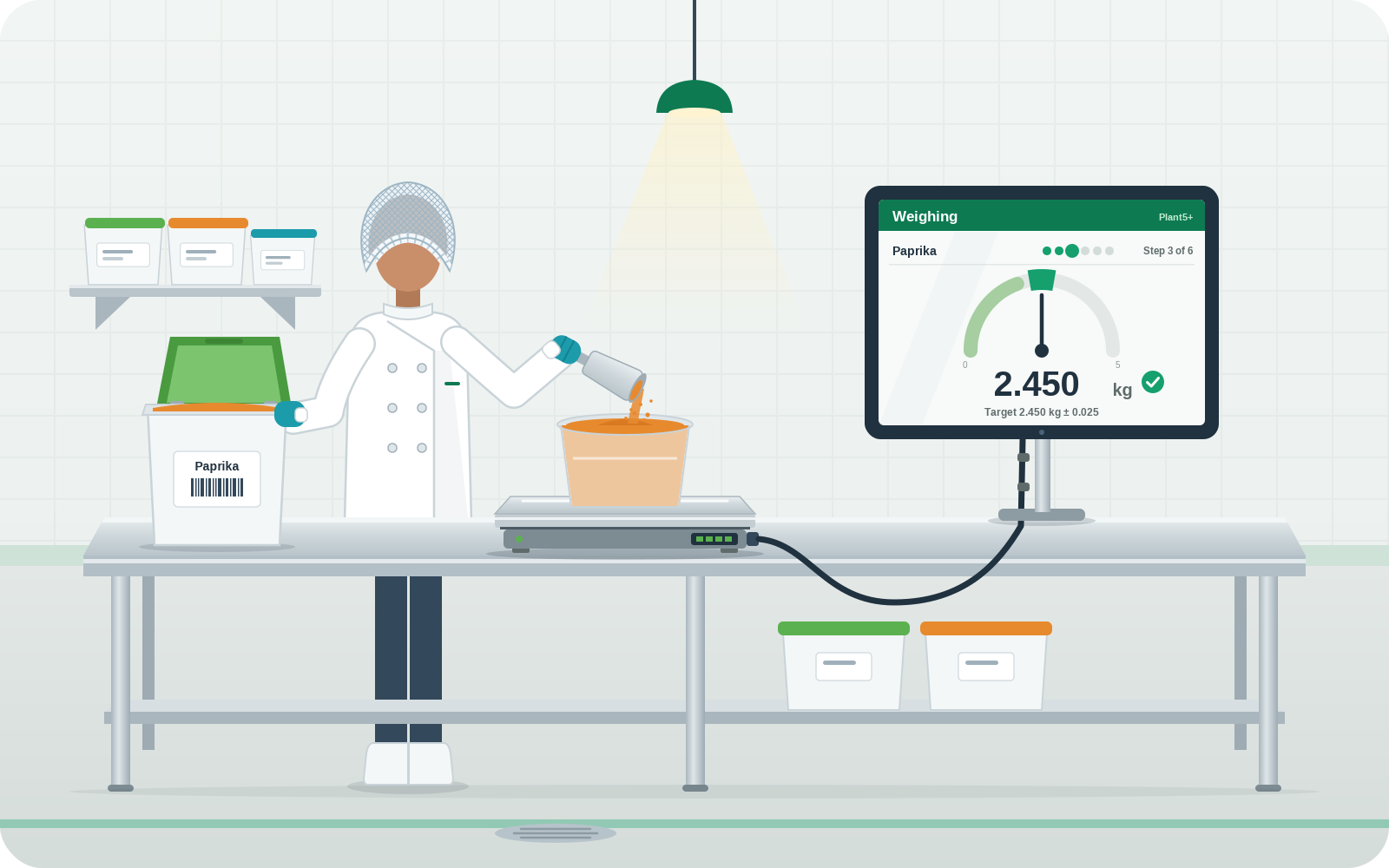
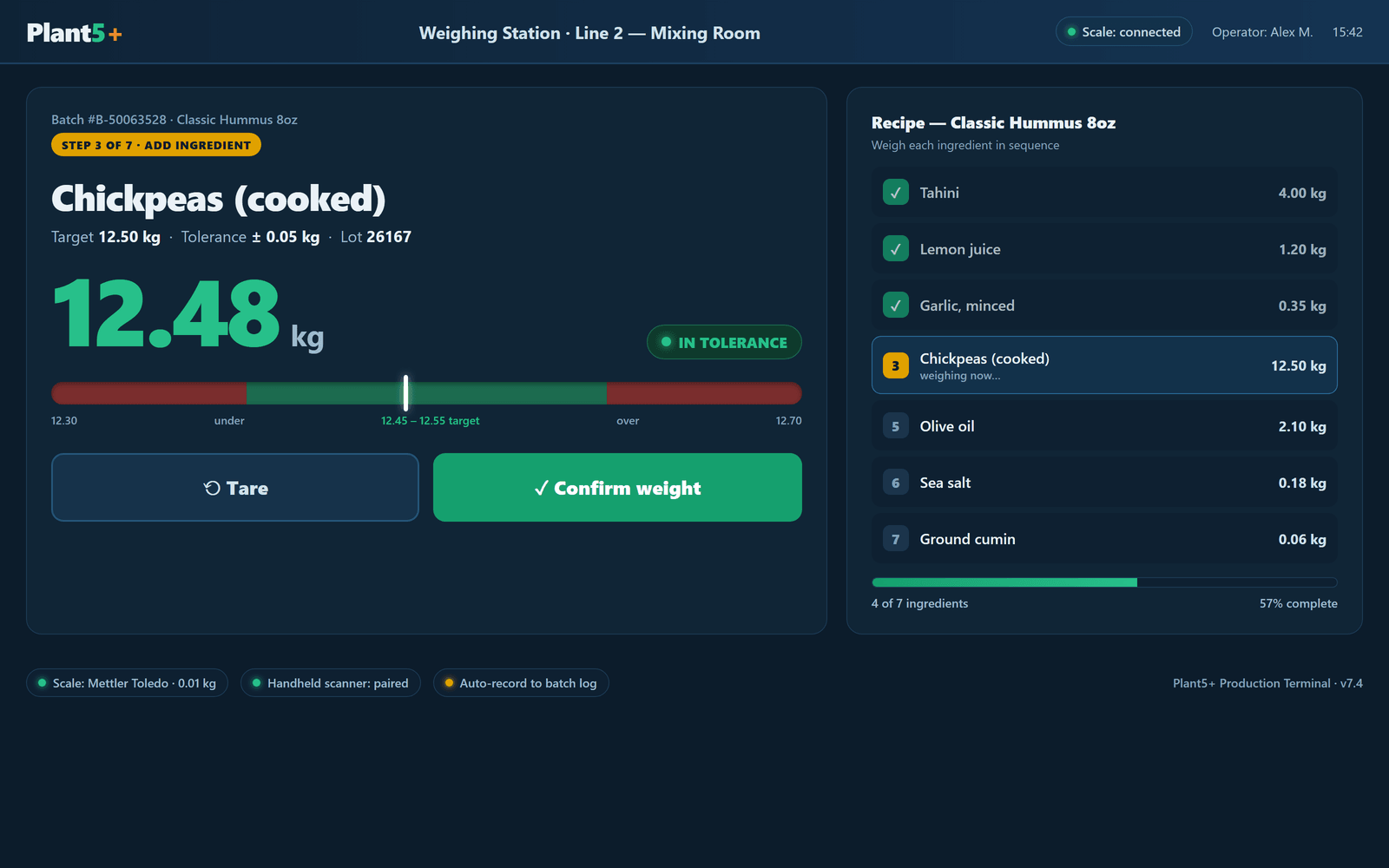
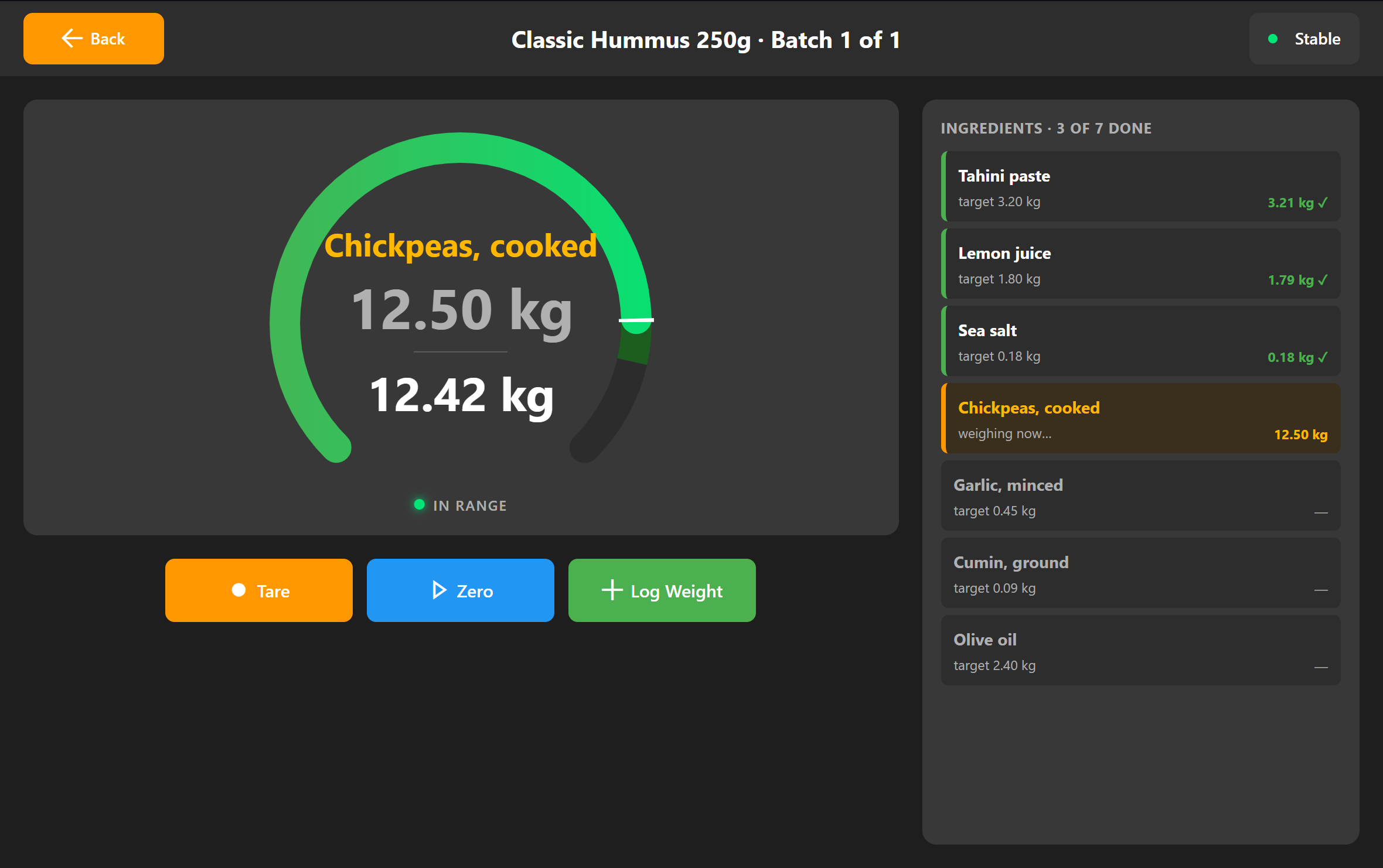
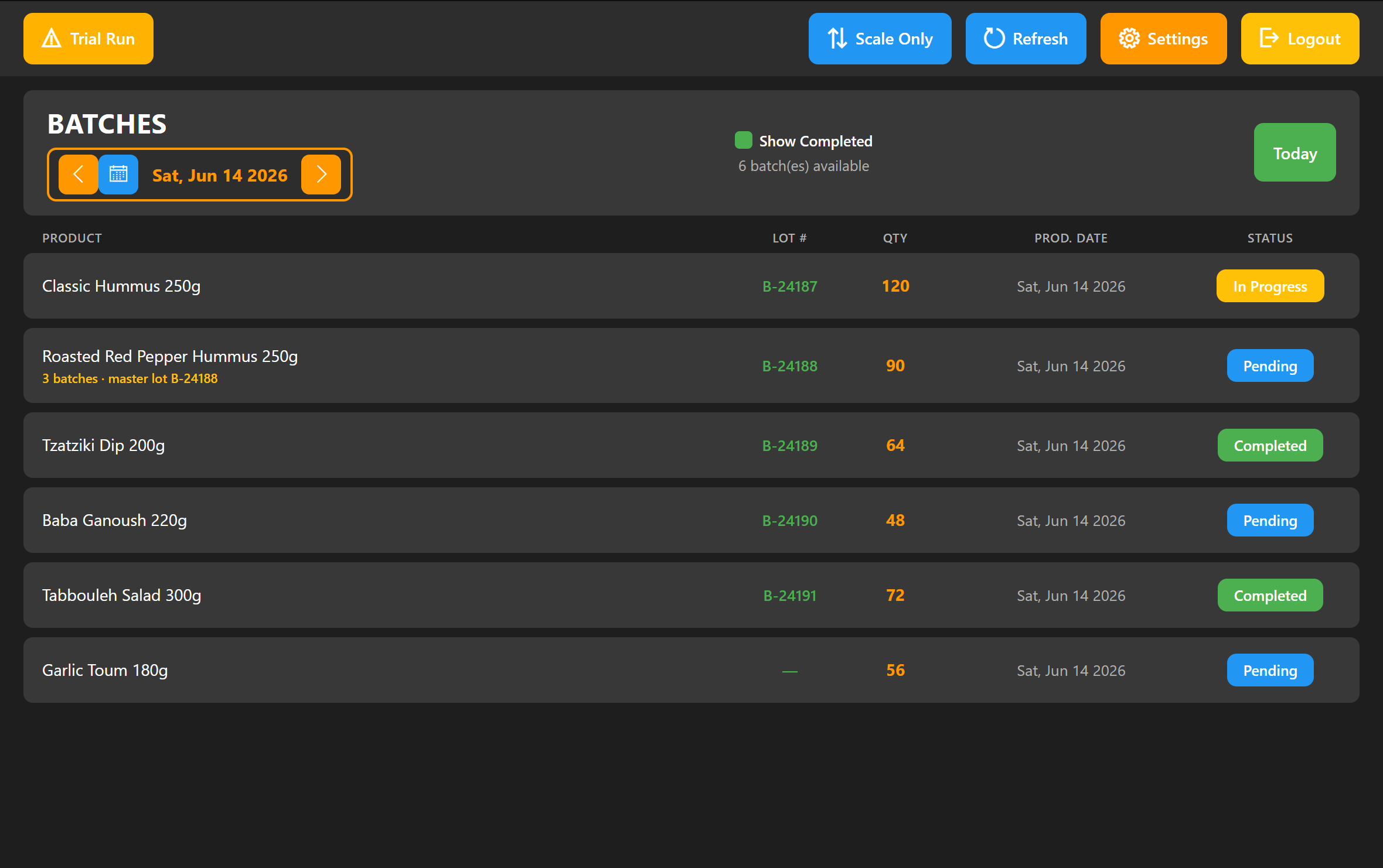
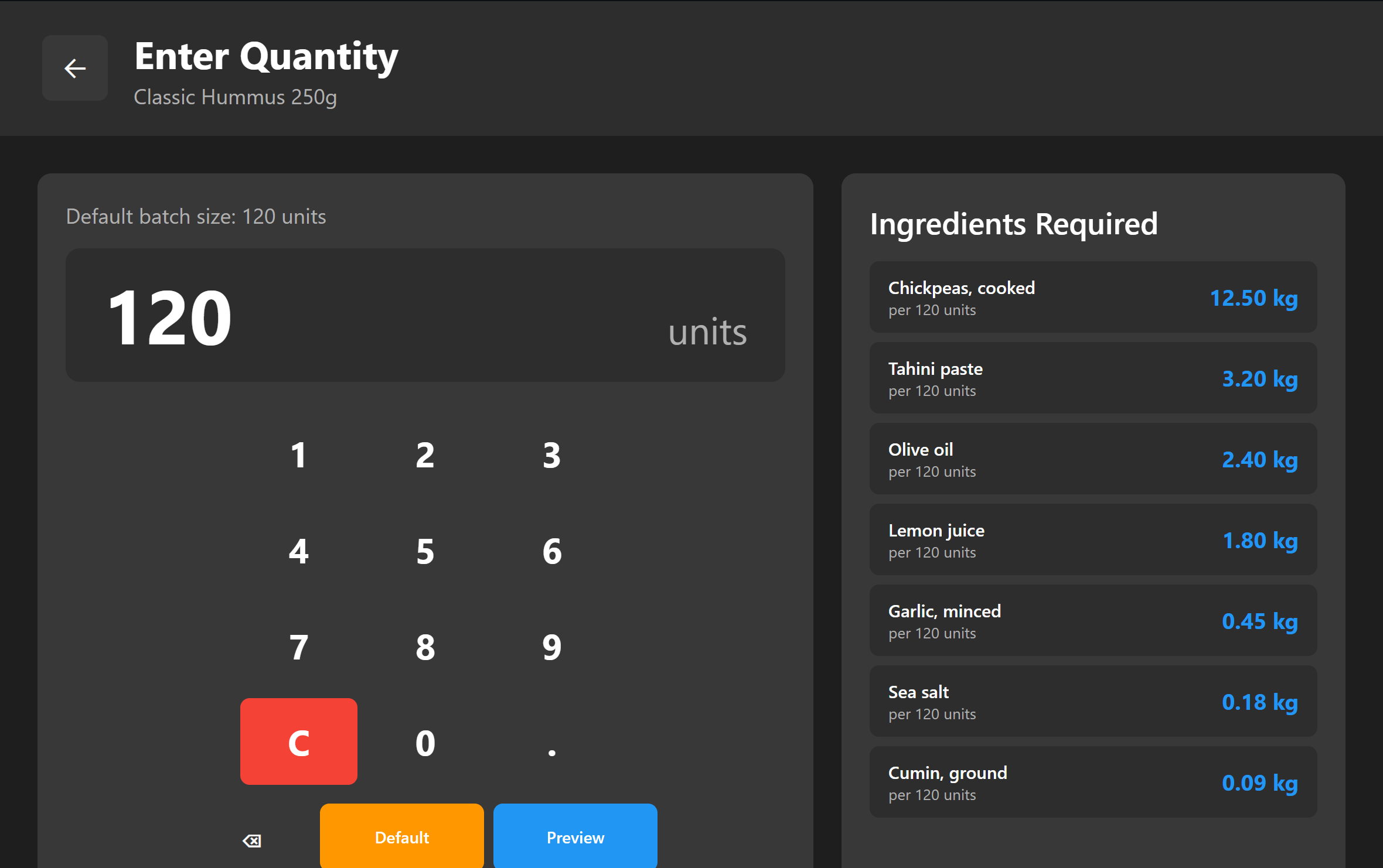
Explore Control Center →Guide the work at the line with a dedicated production workstation: select jobs, work through batches, capture quantities and use connected scales for weighing.
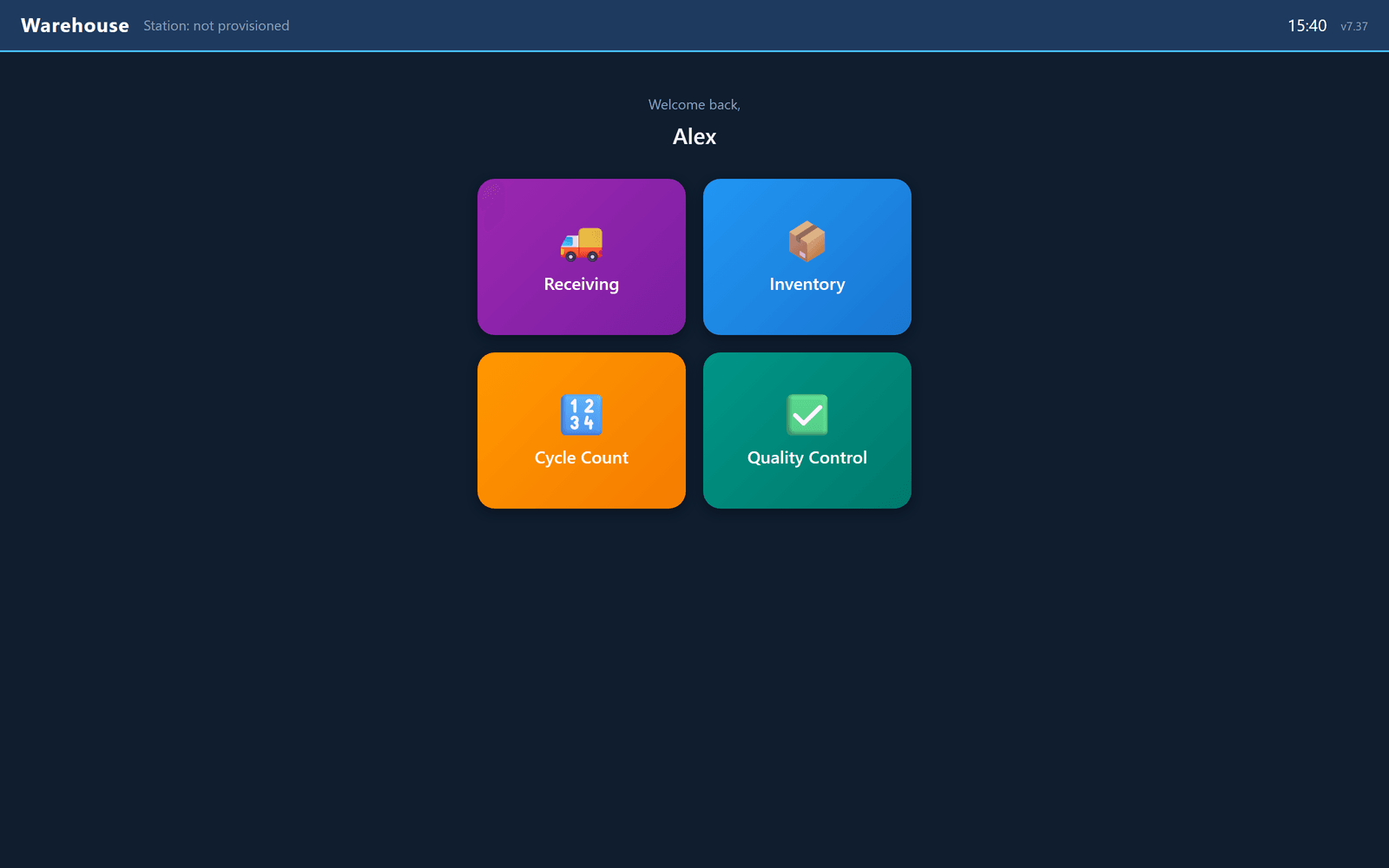
Explore Production Terminal →Give warehouse teams a dedicated workstation for receiving, inventory, pallets and cycle counts. Capture lot details when stock enters the plant and keep warehouse records useful to production.
Explore Warehouse Management →Pick sales orders by scan on Android handheld scanners and tablets, in the browser with nothing to install. First-expiring lot first, and skipping it needs a logged reason; held or expired lots cannot ship; a closed pallet gets a GS1 SSCC once your GS1 company prefix is set.
Explore Picking →Connect Control Center to QuickBooks Desktop with a dedicated Windows sync application. Keep sales orders in Control Center and send the resulting accounting transactions to QuickBooks.
Explore QuickBooks Sync →Quality, traceability and reporting support the operational workflow in Control Center.
Nothing here is news to you. It is what a disconnected plant costs every week — and what it looks like when the five systems finally share one database.
The five systems are not the hard part. Getting them to agree is. That is the whole product.
Each system stands on its own — and shares one live database, so an update in one shows up in all five.
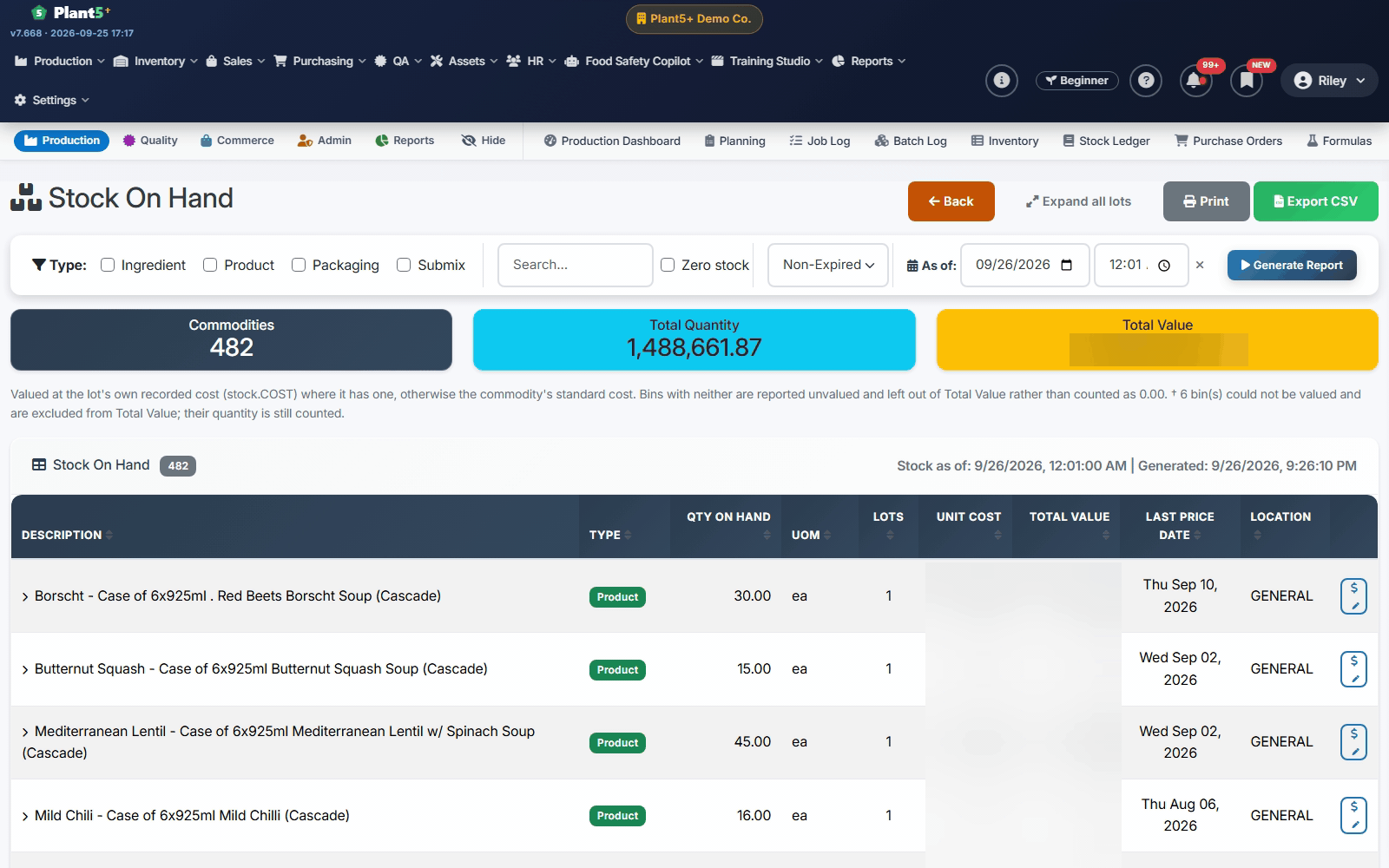
Real-time inventory, receiving, put-away and stock control across every location and bin — with GS1 DataMatrix receiving labels, and a browser Picking app for handheld scanners.
See WMS screensRun the floor end to end — work orders, scheduling, visual process routes, guided weighing, thermal process control and live production tracking.
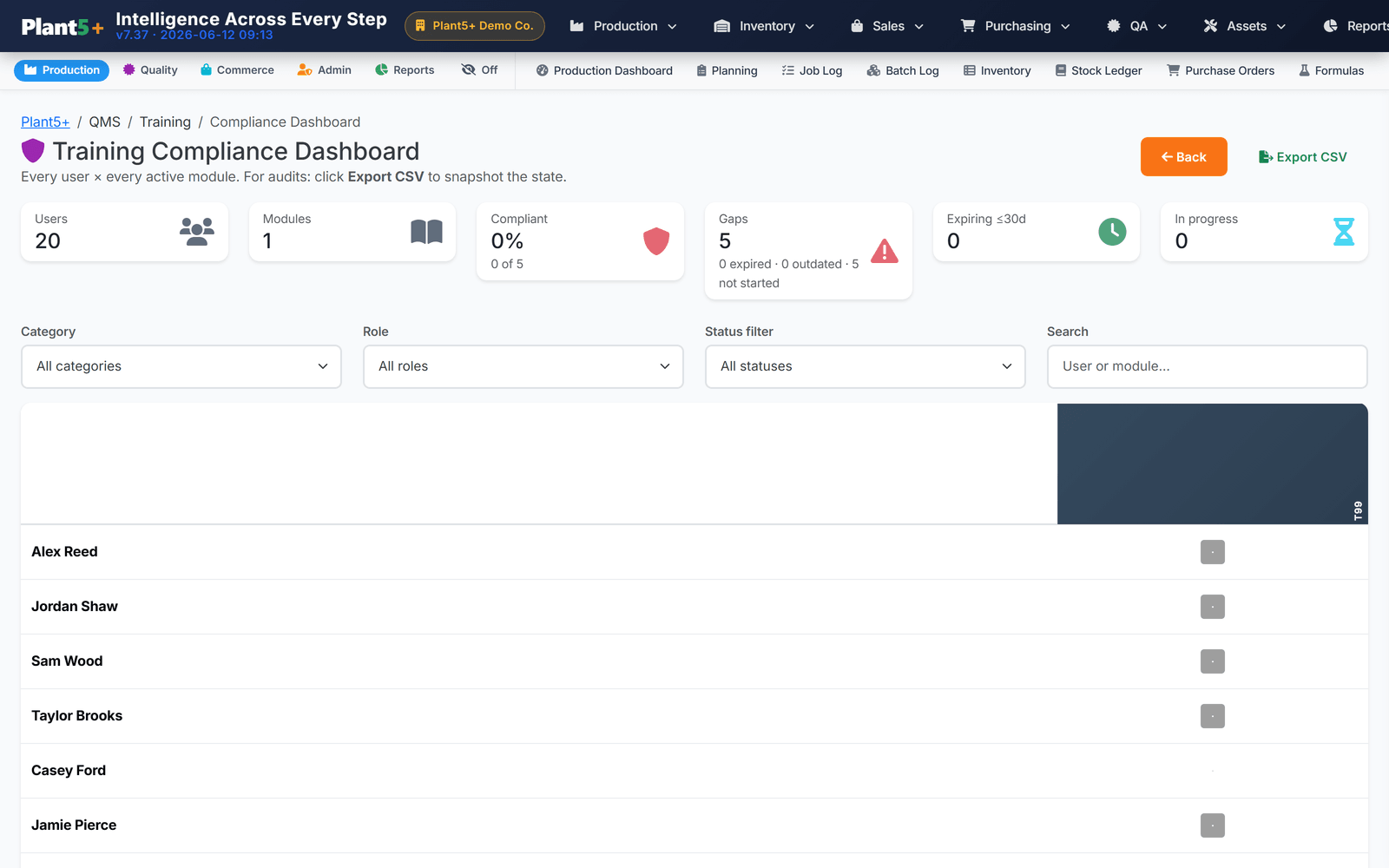
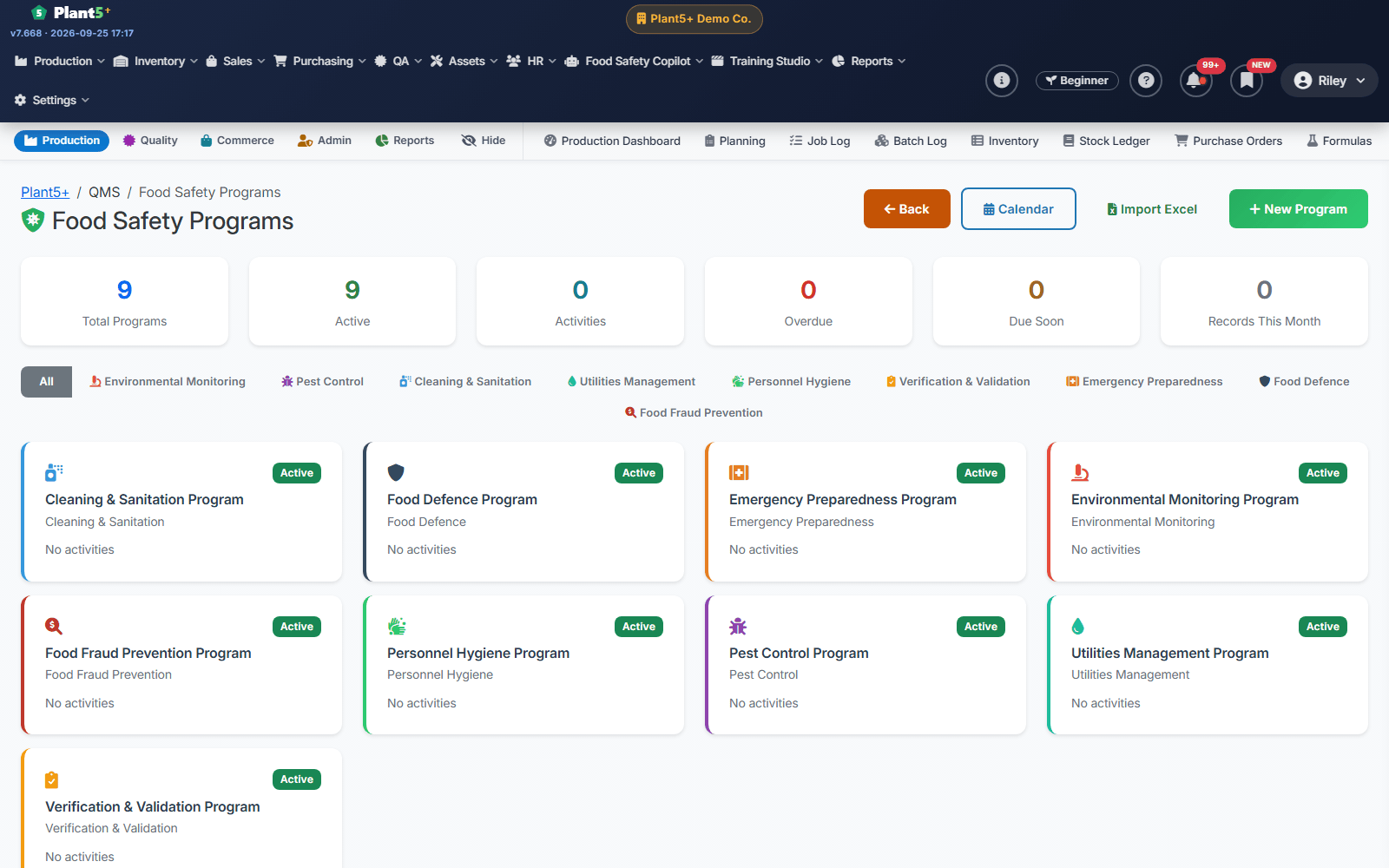
See MES screensSOPs, training, line checks, SPC, deviations, CAPA, complaints, HACCP, positive release, recall and GFSI audits — documented and audit-ready, with AI assistance built in.
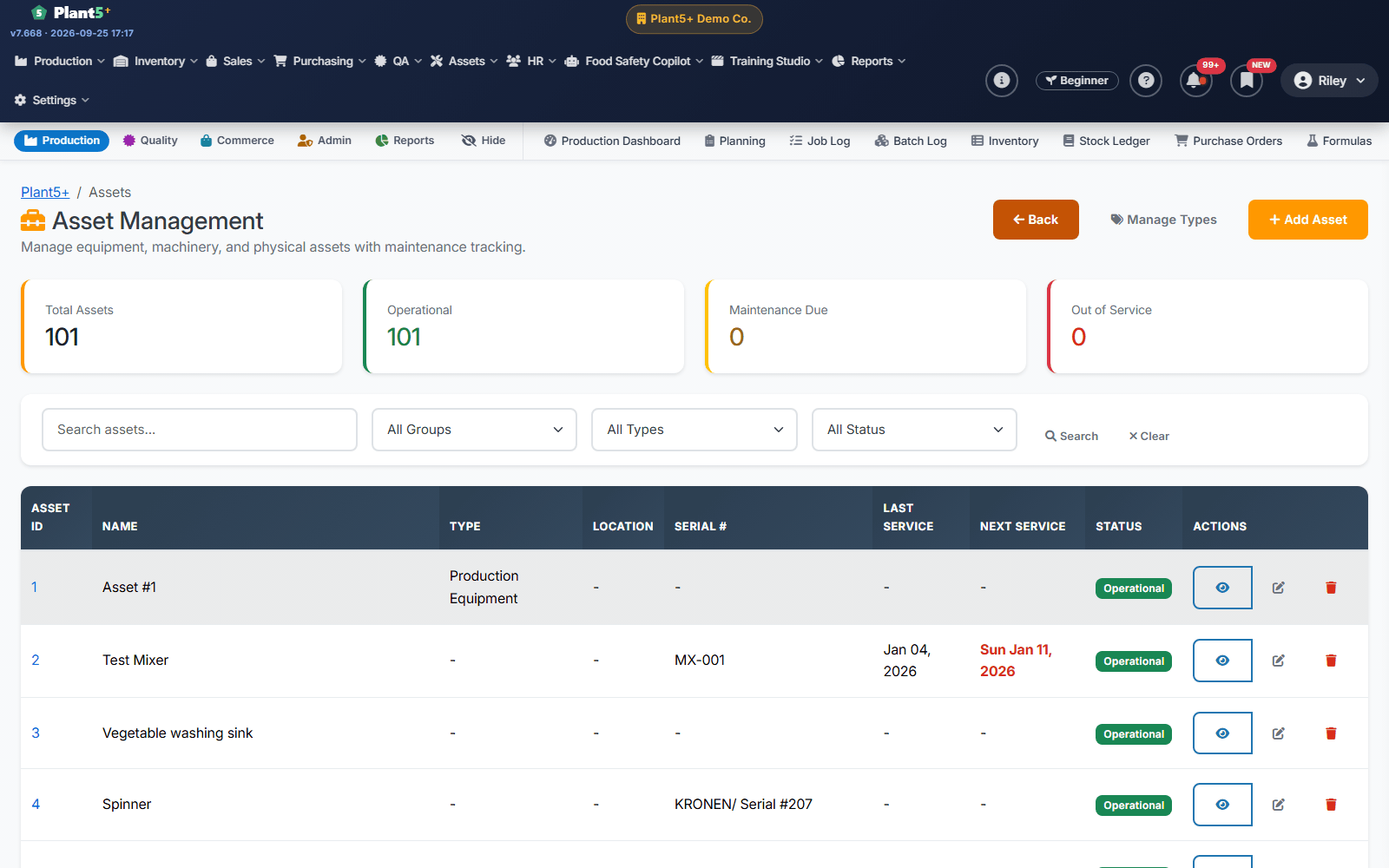
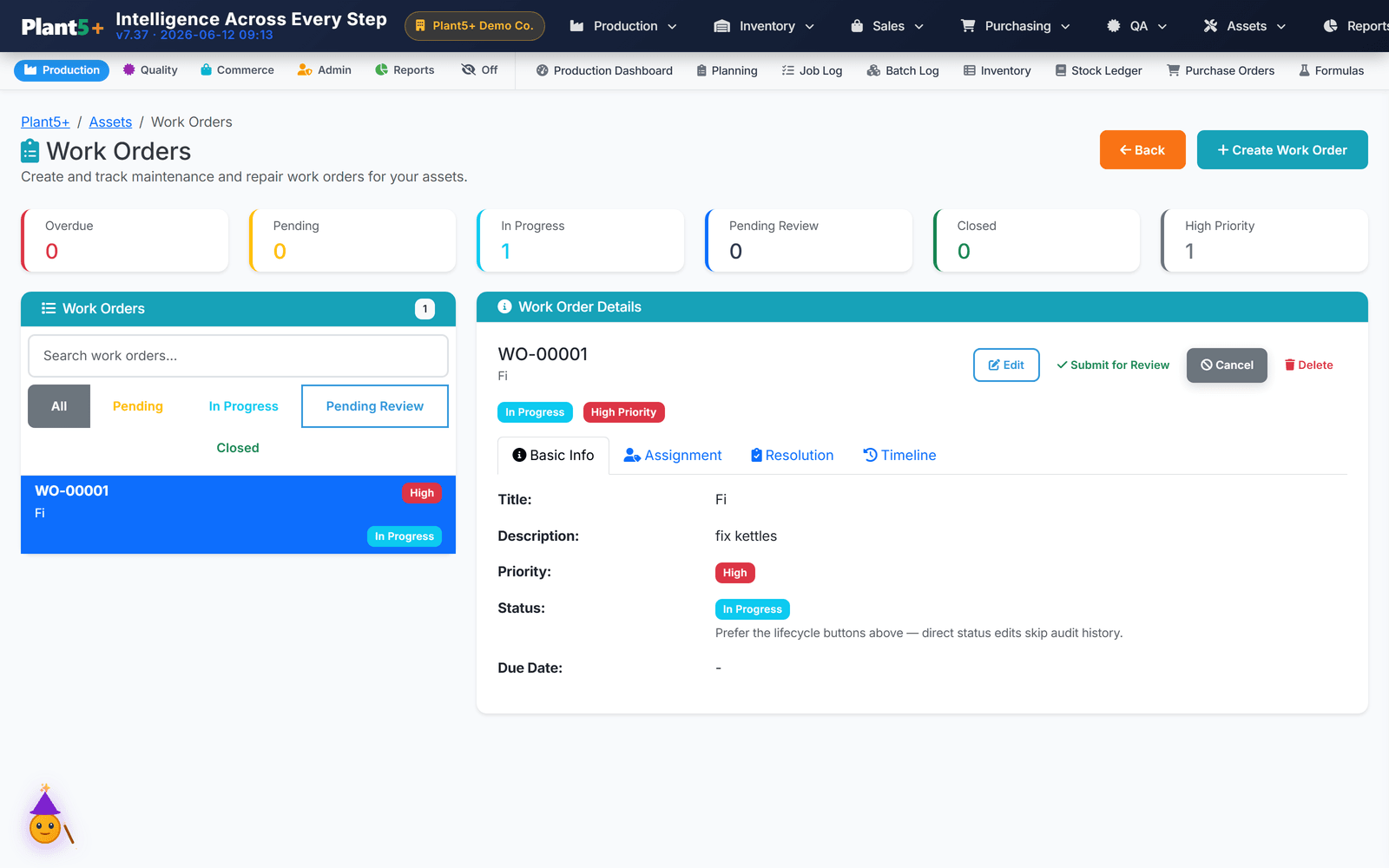
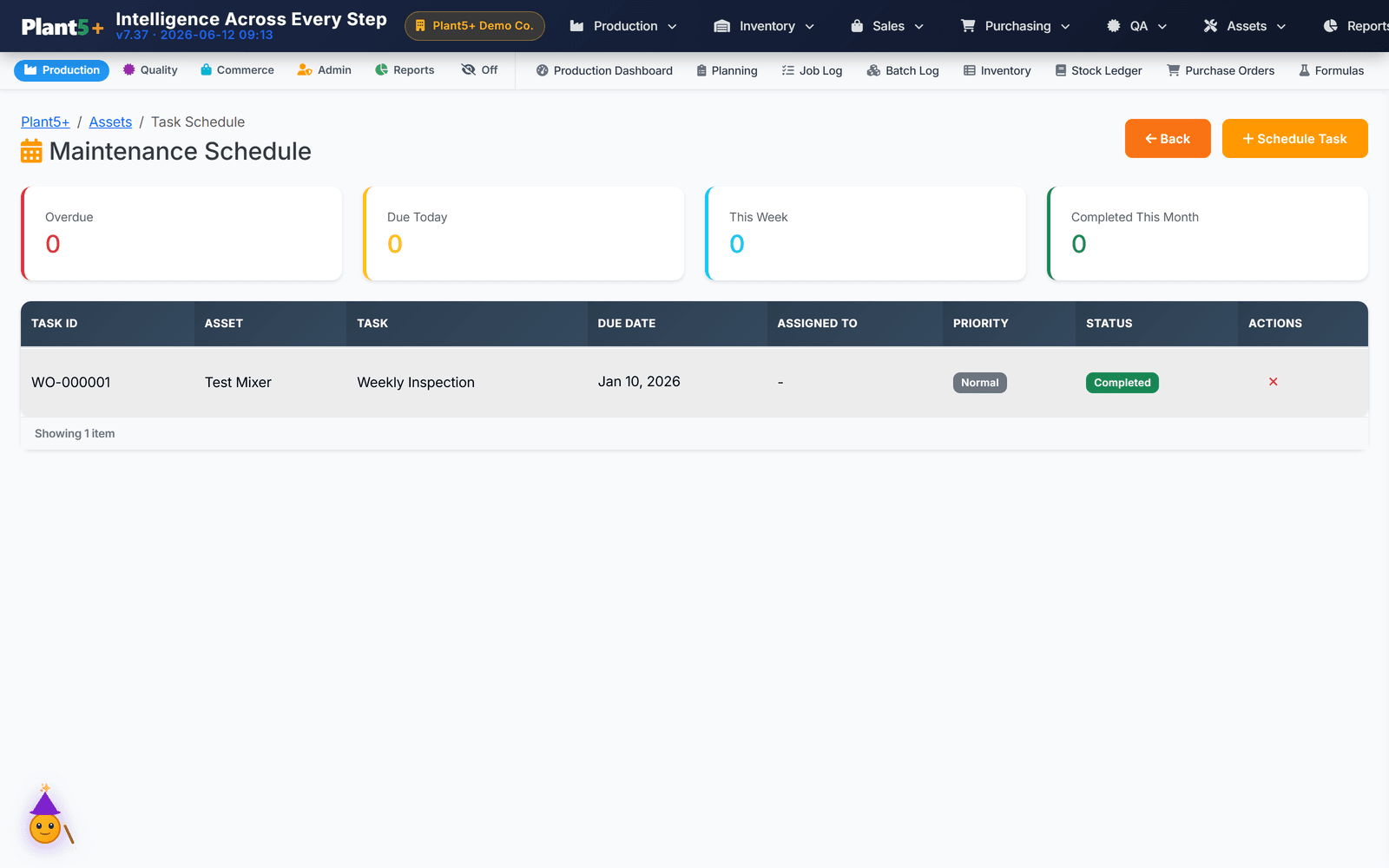
Explore QMSSchedule maintenance, manage work orders and spares, and keep every machine running longer.
See PM screensLive dashboards that turn floor data into decisions — yield, downtime and cost, for the line and the boardroom.
See BI screensPlant5+ keeps growing with add-on capabilities that extend well beyond the core five.
The whole point of Plant5+ is integration — five systems sharing one platform, one database, one login.
Data flows between modules the moment it changes — update once, see it live everywhere.
Two-factor sign-in, role-based permissions, an append-only audit trail, and e-signatures that re-check who is signing.
Browser workspaces for the office, Windows apps at the line and the dock. Terminal weighing and batch work, and WMS receiving and counts, keep going through a network drop and sync when it returns; signatures and overrides wait for the connection.
Guided onboarding and templates get you live in weeks, not months — and “Guide me” walks each user through every required field on a form.
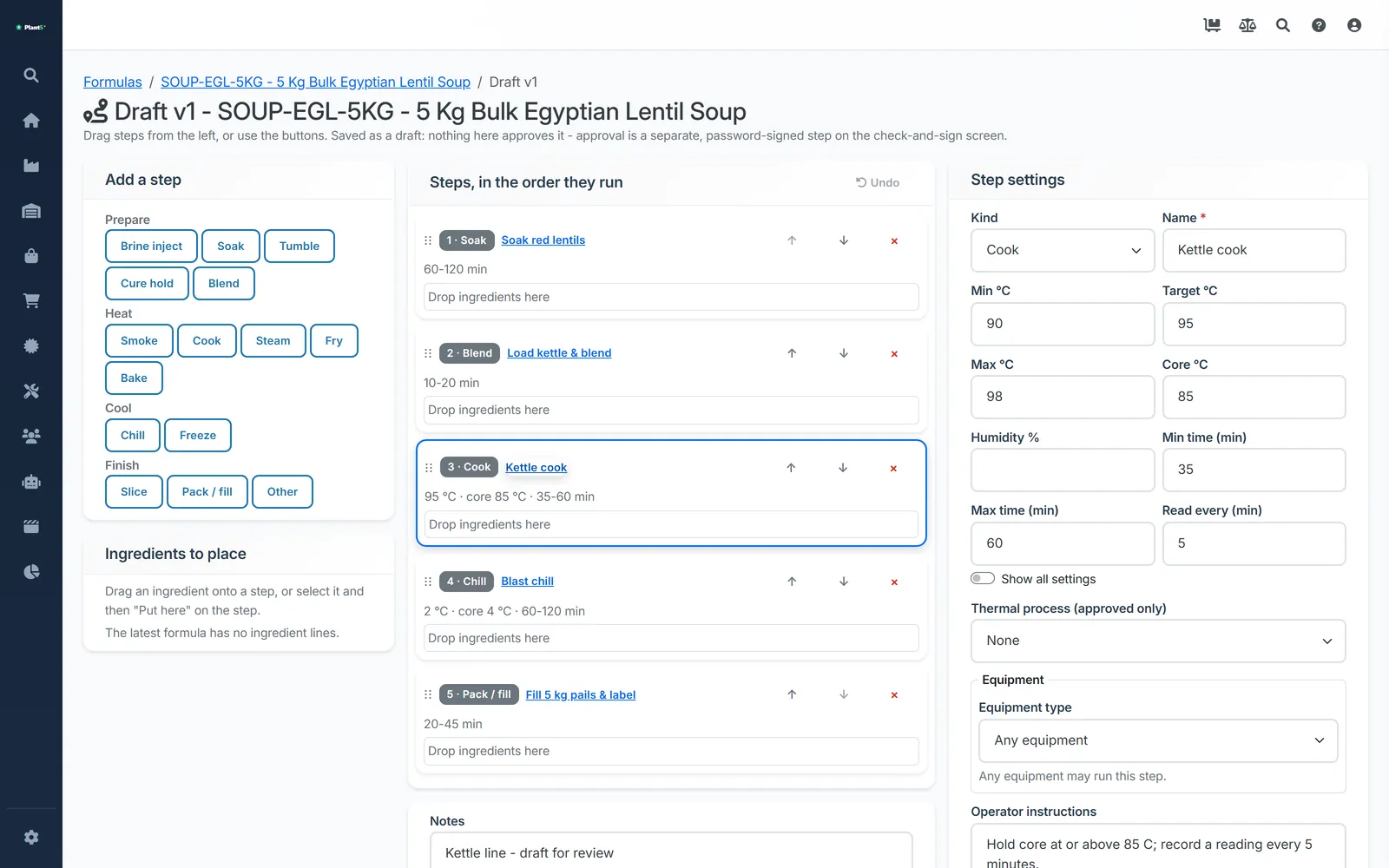
Lay out each product's steps, rules, equipment and ingredients, version it and sign it off — operators then follow it step by step at the terminal.
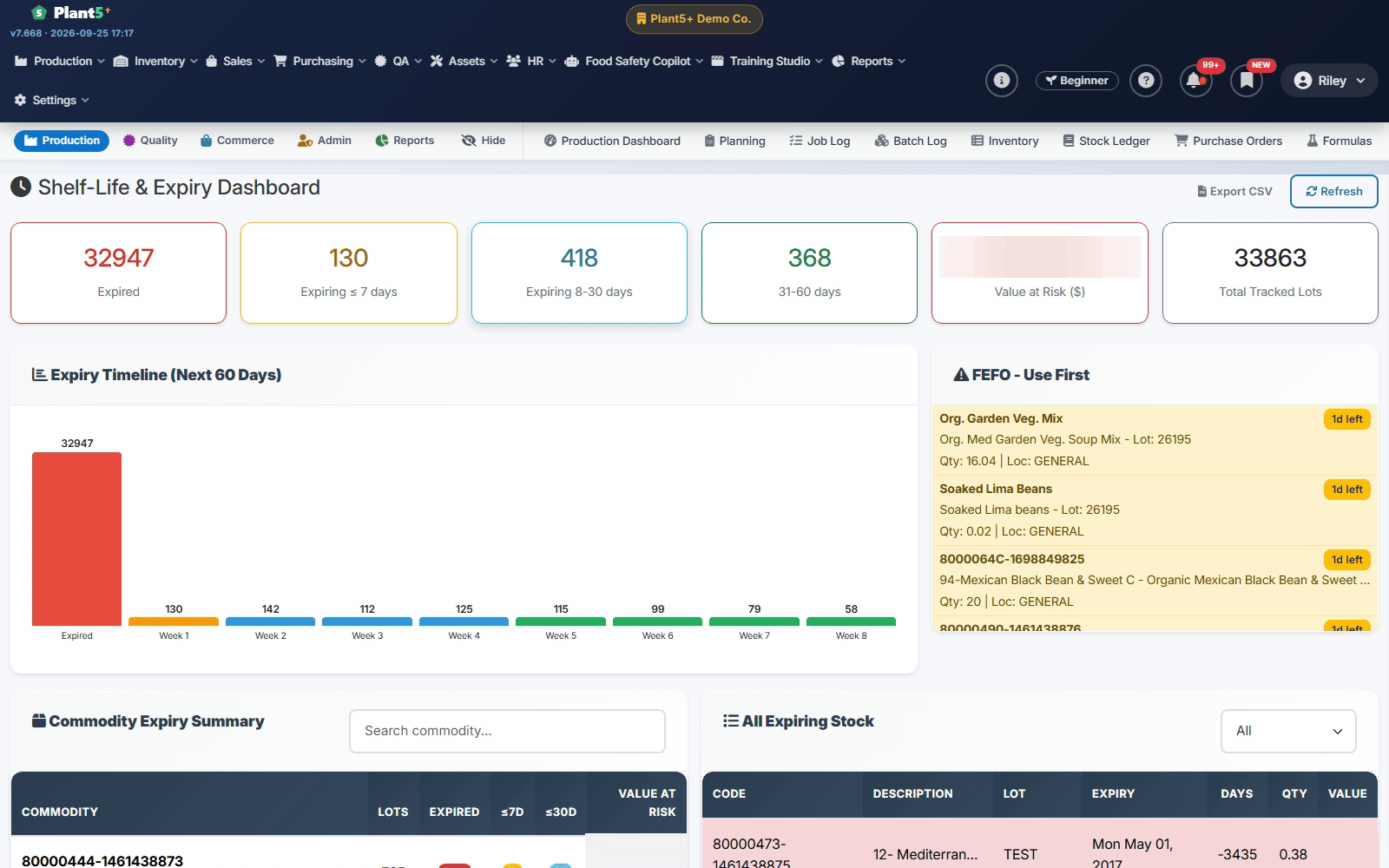
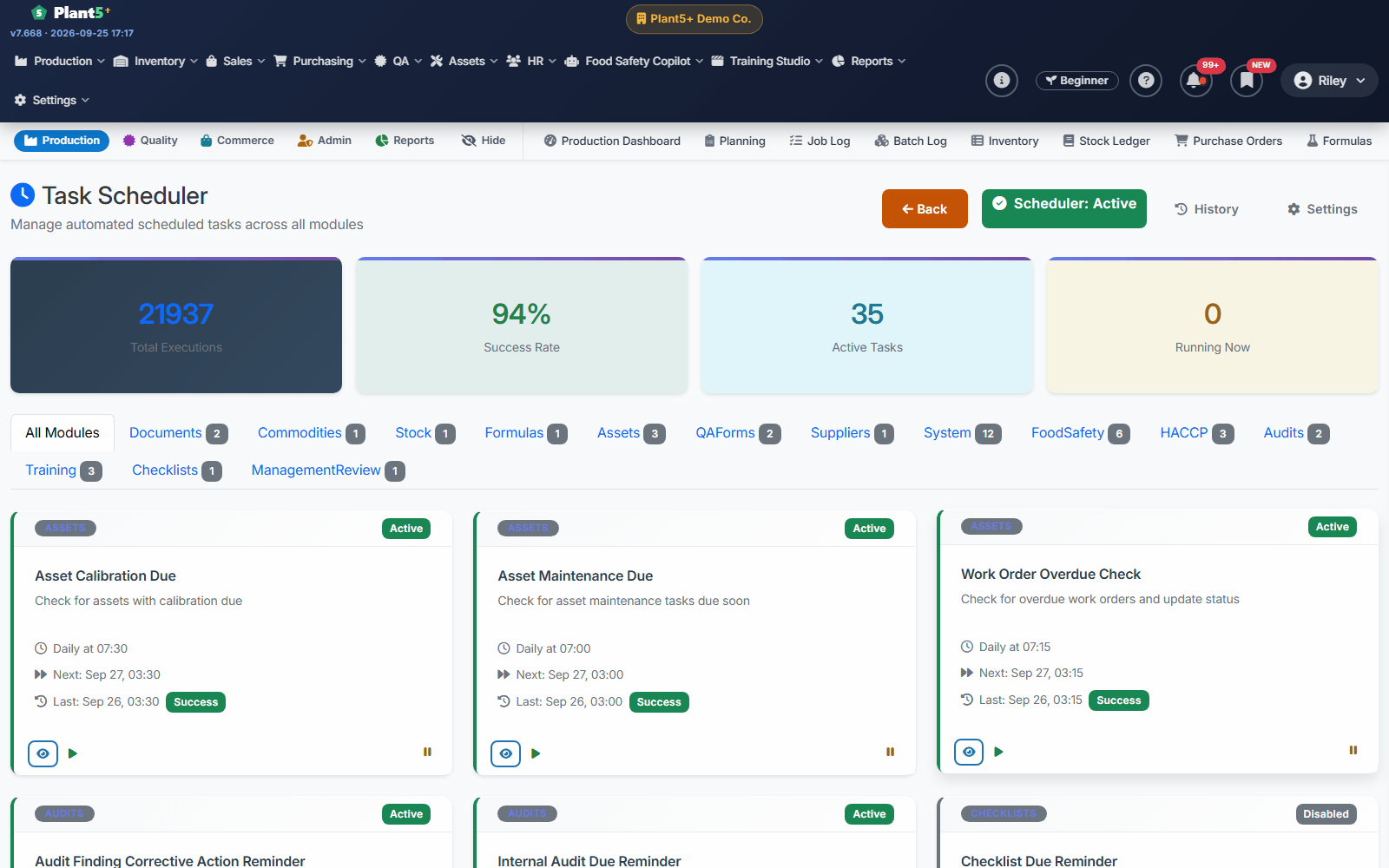
Every night, about 40 checks across stock, FIFO, receiving, production, cost capture and invoice-vs-pick — emailed, with drill-downs that name who, what and why.
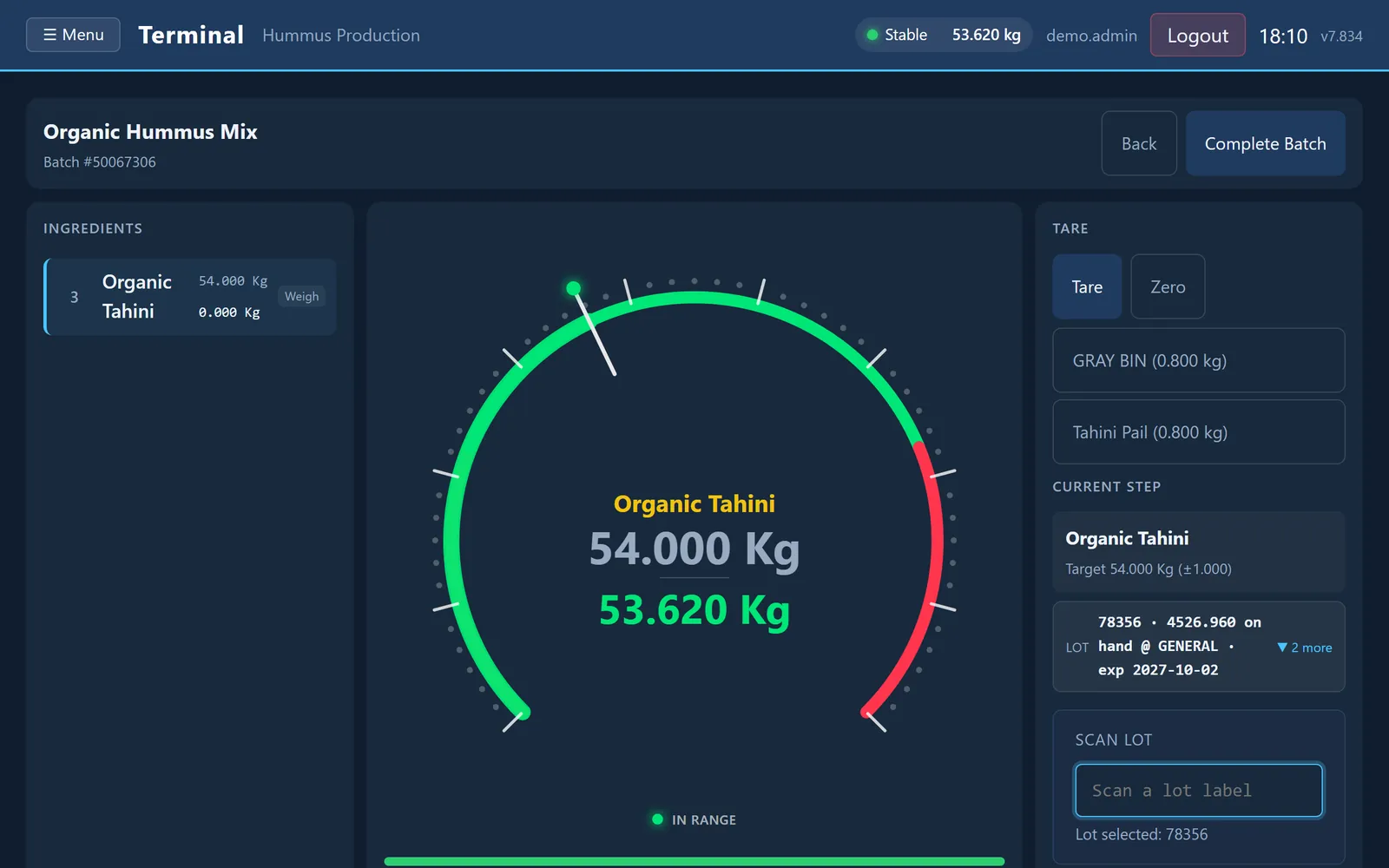
Weigh each ingredient on a live under / in / over tolerance gauge with tare presets. An over-maximum weight needs a supervisor PIN.
A browser app for Android handheld scanners and tablets — nothing to install. Scan to pick, first-expiring lot first (skipping it needs a logged reason), and a GS1 SSCC on each closed pallet once your GS1 prefix is set.
Trace any lot forward or backward in seconds, export a CFIA traceability file per lot in one click, and record mock recalls with target vs actual time and recovery %.
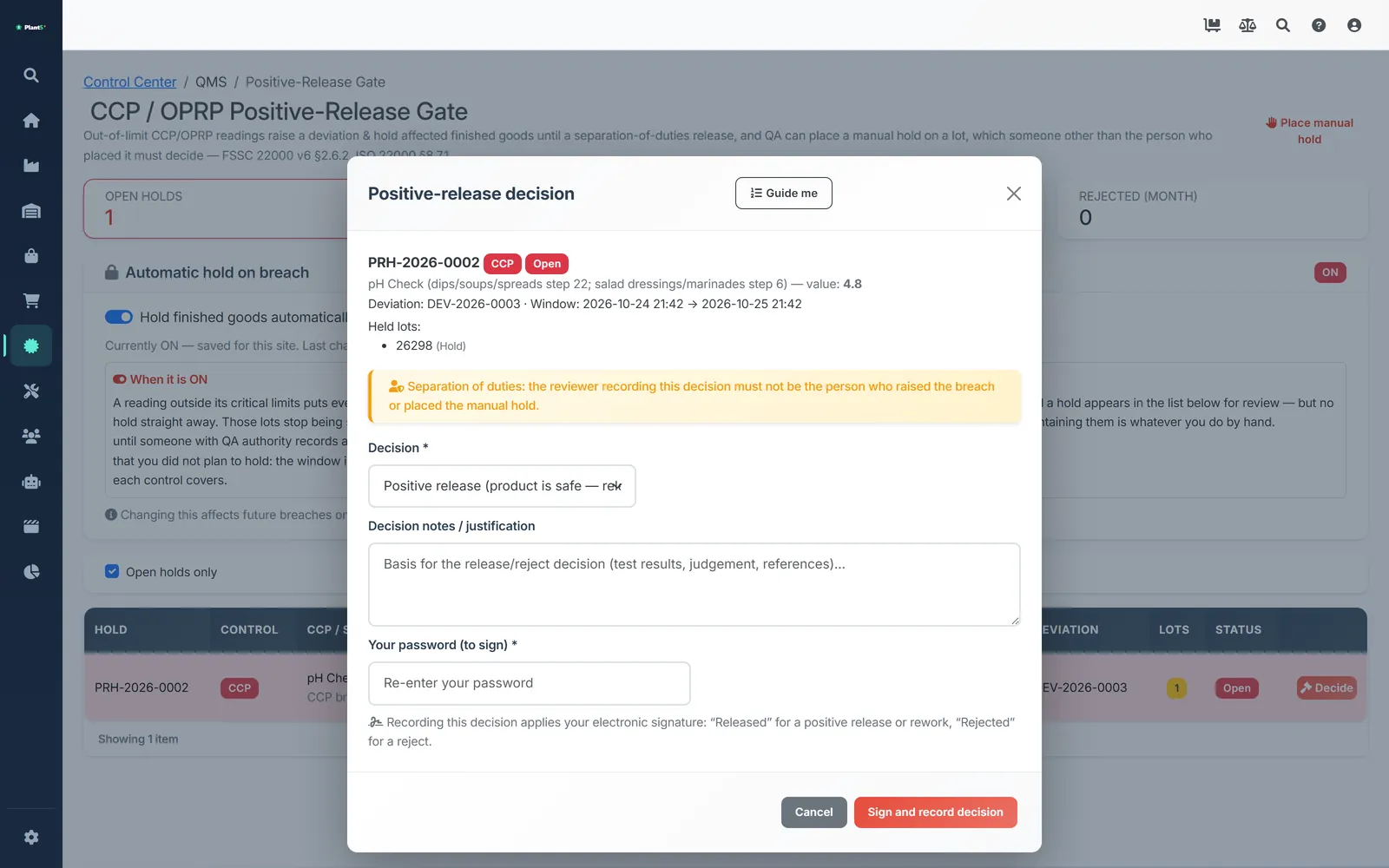
Held lots wait for a release decision signed with a re-authenticated e-signature, and a hold raised from a deviation or placed by hand must be released by a different person. A CCP breach raises a deviation and a hold record; switch on auto-hold to freeze the affected lots.
Cook and cool readings recorded against the batch. The server calculates pass/fail and lethality; a failed run raises a deviation and a hold record (switch on auto-hold to freeze the lots), and a second person verifies.
Switch it on per plant: case weights captured and stored (pallet weights optional), invoice lines priced from the captured weight per kg or lb. Optional meat lot attributes (grade, kill date, establishment number; species from the item) print on lot and receipt labels.
GS1 SSCC pallet labels and case labels with GTIN, weight and expiry. Artwork approved by e-signature, labels verified at the line, print runs reconciled.
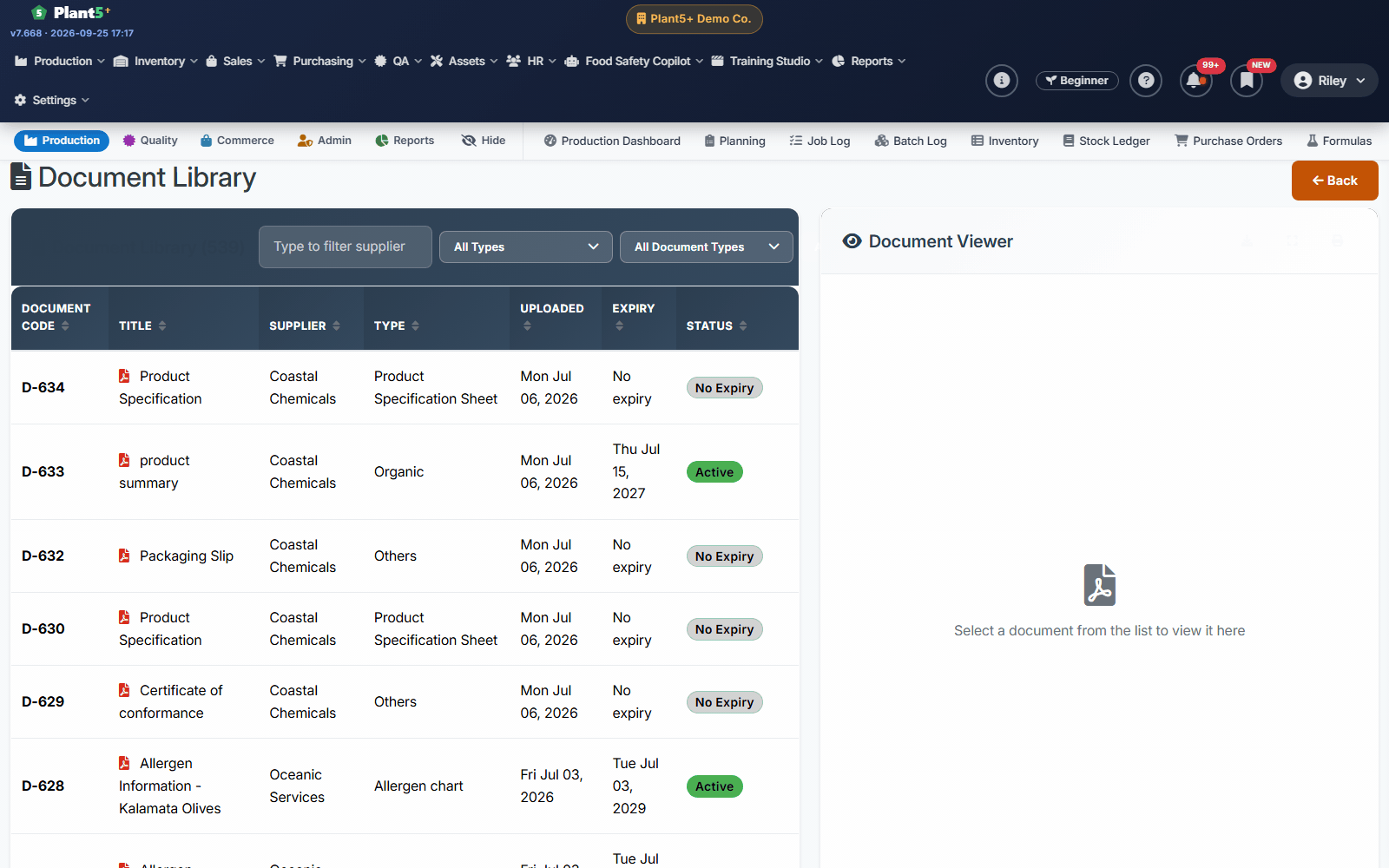
Supplier specs and approvals, allergens and multi-country origins per raw material, lab CoAs with pass/fail per analyte, and customer CoAs from the sales order.
With the AI Assist add-on, AI matches your existing records to each audit requirement, answers audit questions in plain language, reads receiving slips into receive lines and turns a customer PO into a draft sales order.
Photo-document every machine and run one inspection form that knows which checks are due today.
Control Center owns sales orders. QB Sync sends invoices, credit memos, purchase orders and item receipts to QuickBooks Desktop and imports customers, vendors, non-inventory items, units of measure and price levels.
Barcode scanners, label printers and scales connect directly, so data is captured where the work happens instead of typed in at the end of the shift.
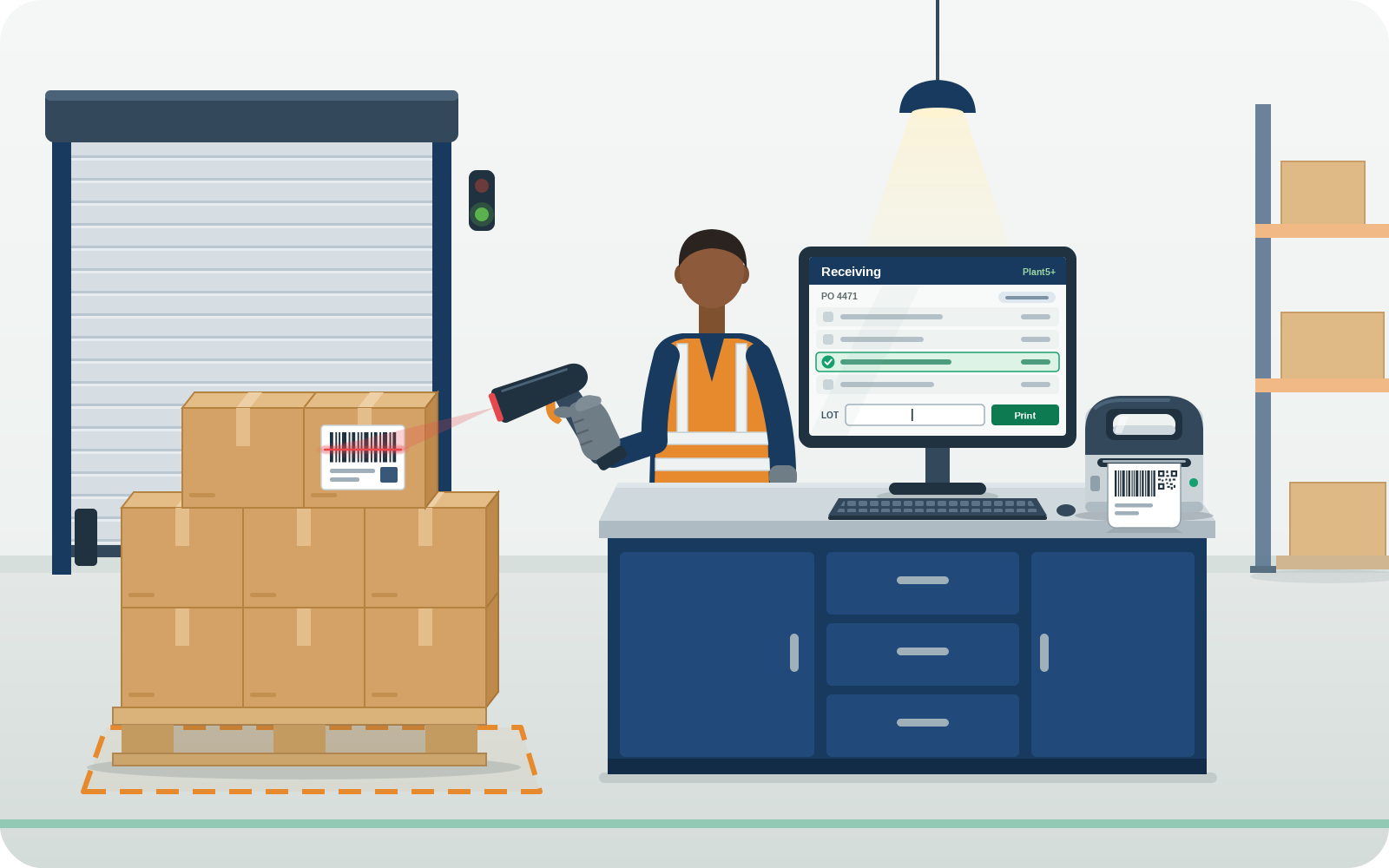
A PC, a barcode scanner and a label printer are the whole receiving station. Scan the case, confirm lot and expiry against the purchase order, and print the lot label. The stock is live in inventory before the truck pulls away.
The scale feeds the touchscreen terminal directly. Operators weigh each ingredient against the recipe target with a live tolerance band, and every weight, lot and operator is recorded without a clipboard.
Real Plant5+ screens from all five systems — warehouse, manufacturing, quality, maintenance and intelligence. Pick a system to explore.
Five 90-second films, one plant each: meat, hummus, soup, pasta and sauce. Each is a captioned illustration, not a screen recording, and has no audio.
Every case weighs something different. This 90-second overview follows one meat plant from the receiving dock to an invoice priced by the weights it captured.
An illustration, not a screen recording. No audio. Catch weight, case labels and the other meat features are switched on per plant.
A ready-to-eat dip: sesame in every tub, a pH that must stay low, a short shelf life and Listeria to keep out. From chickpeas at the dock to a tub on the shelf and an invoice.
An illustration, not a screen recording. No audio. Auto-hold is switched on per plant.
Big kettle batches, tight cook-and-chill timing, a fill weight on every tub, and sub-mixes inside every recipe. From open orders and the vegetable dock to filled tubs and an invoice.
An illustration, not a screen recording. No audio. Auto-hold and case labels are switched on per plant; SSCCs need your GS1 company prefix.
Wheat and egg share the lines, dryer readings live on paper, and one wrong allergen statement on a label can mean a recall. From semolina at the dock to an invoice in QuickBooks Desktop.
An illustration, not a screen recording. No audio. Names, lots and figures are invented; checks, forms and limits are set up per plant.
In an acidified sauce, pH decides safety; every glass jar must hold its declared net content, and every label must match the jar. From tomatoes at the dock to a customer CoA and an invoice.
An illustration, not a screen recording. No audio. Auto-hold is switched on per plant. Names, lots and figures are invented.
Each one is a job that usually takes spreadsheets and phone calls. The first three are new, recorded on a demonstration plant with made-up data; the four after them were recorded in the live app with customer, supplier and staff names changed and financial figures blurred. No audio.
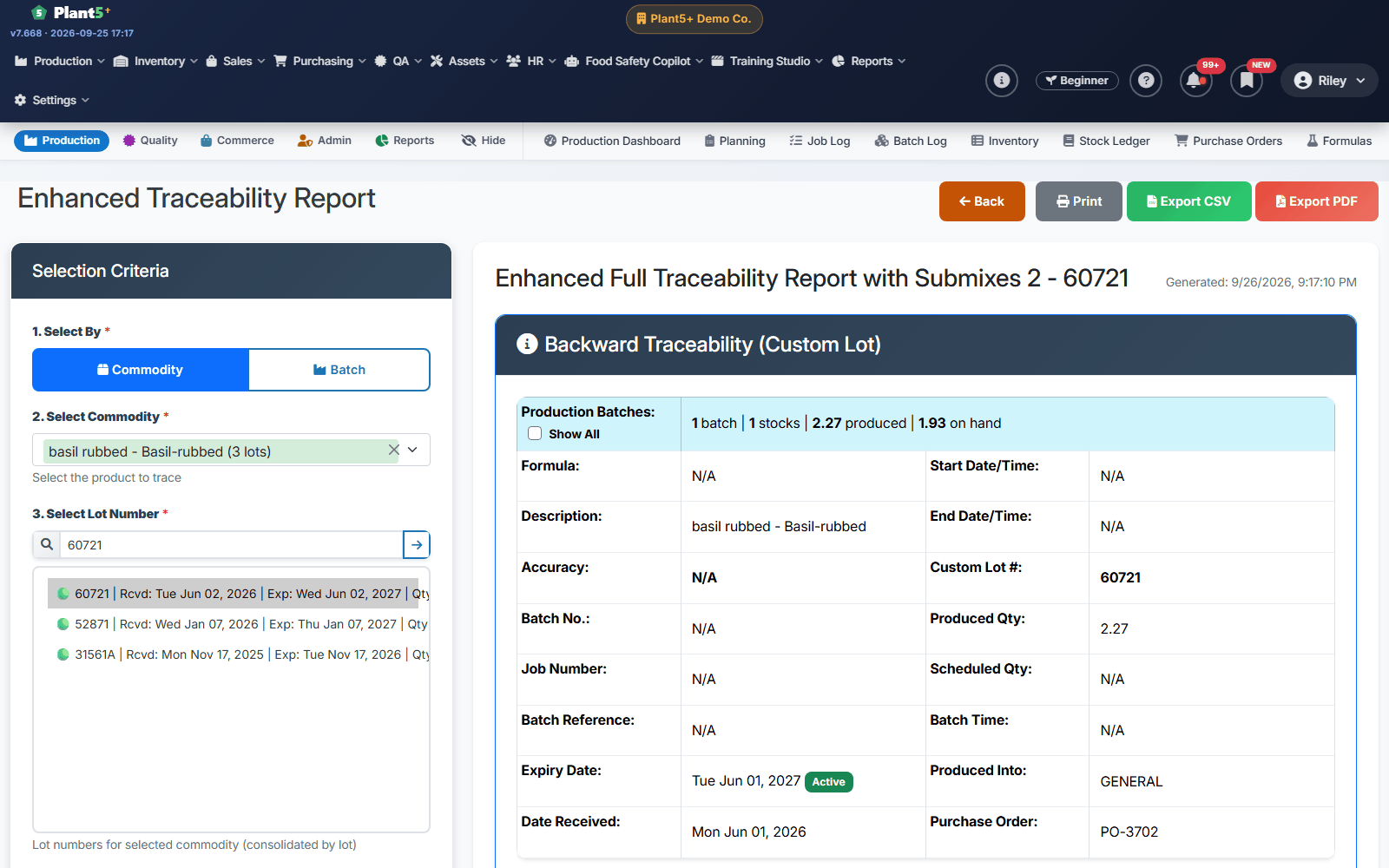
Pick the lot and trace it back to every ingredient and supplier lot, export the CFIA traceability file, record a mock recall with its recovery % and time, then let the readiness score show what is still open before the audit.
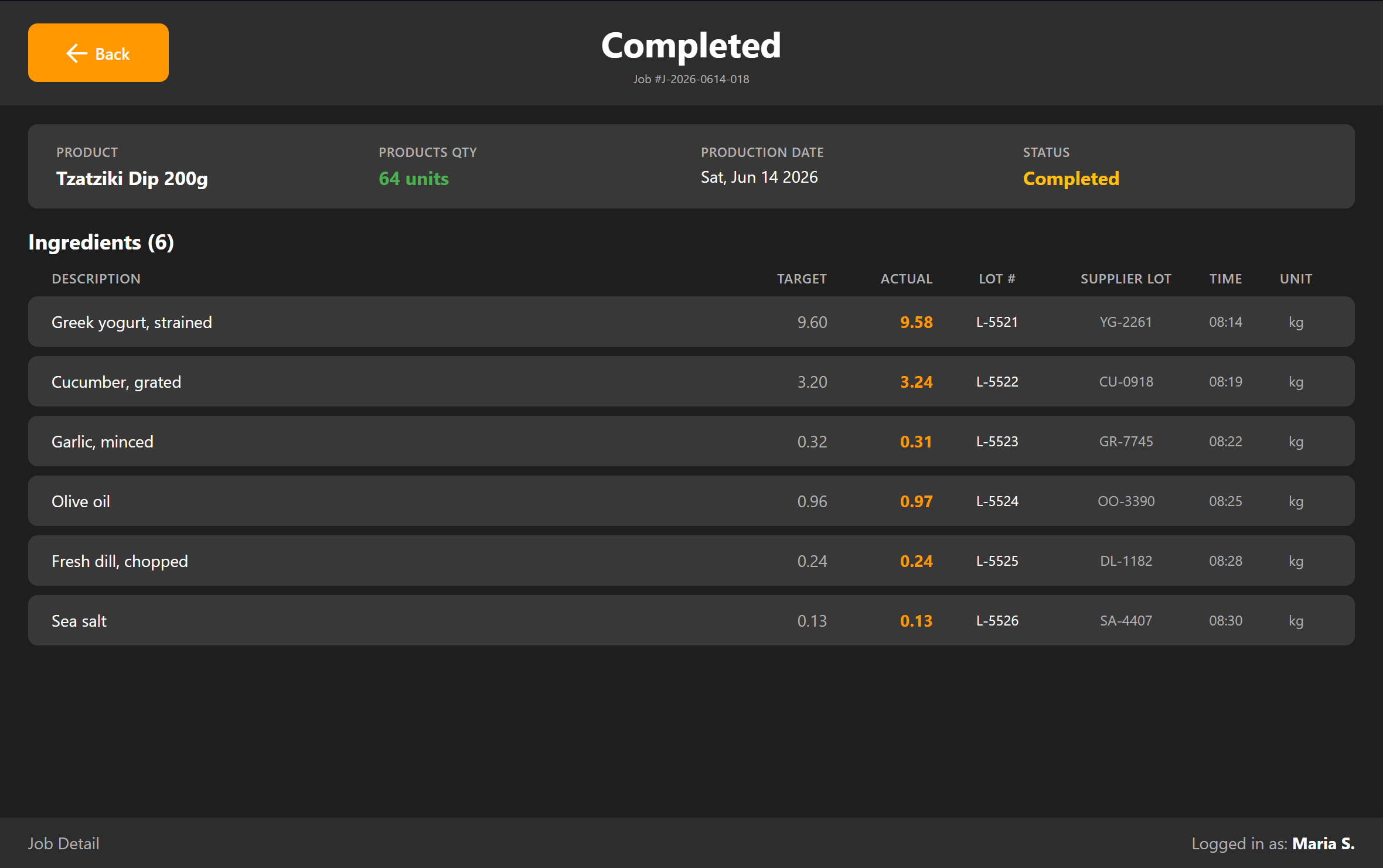
The batch on screen, the allergen acknowledgement, a scanned ingredient lot, then the target and tolerance band: an over-maximum weight needs a supervisor PIN. Ends on the completed batch and its electronic batch record. Demonstration data; the scale was simulated.
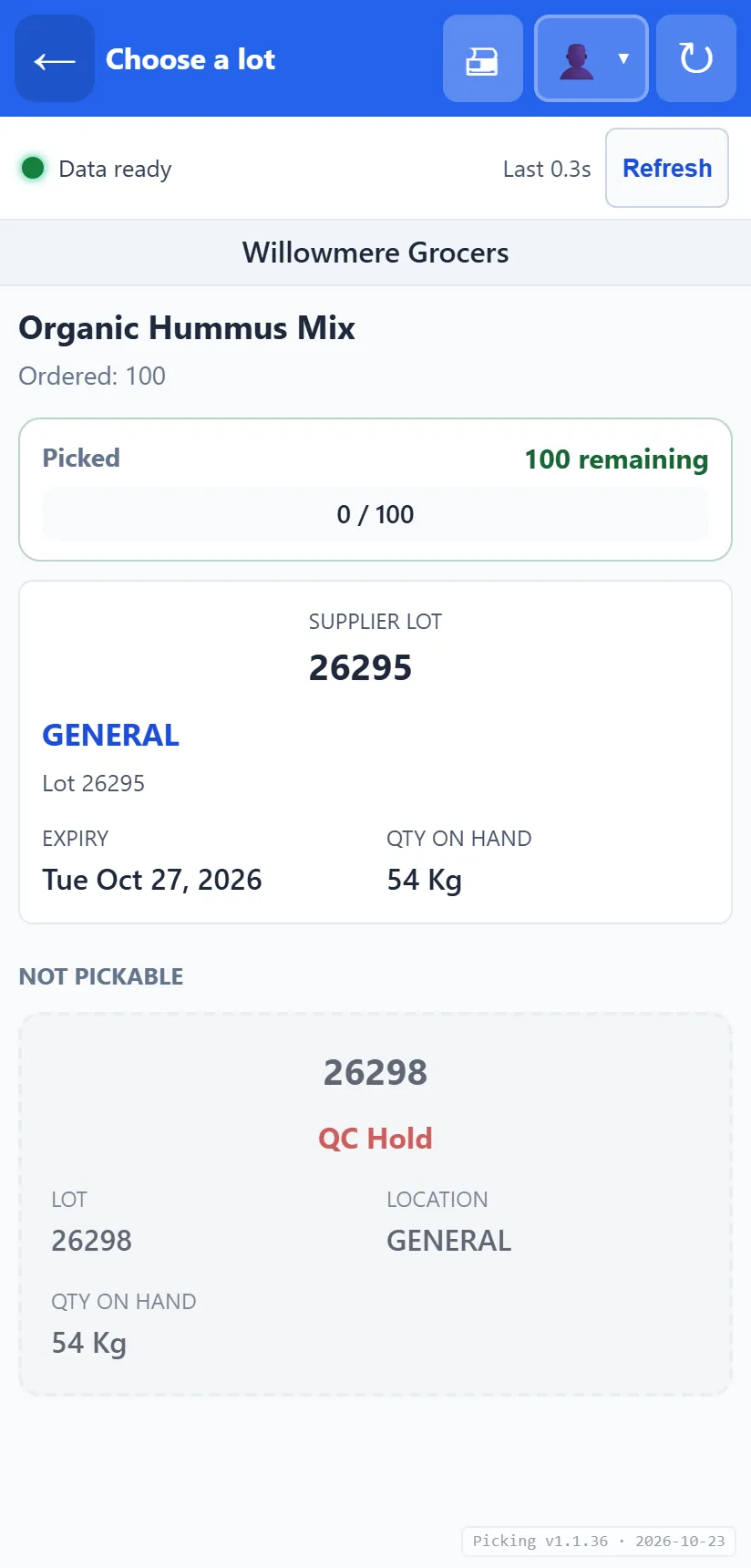
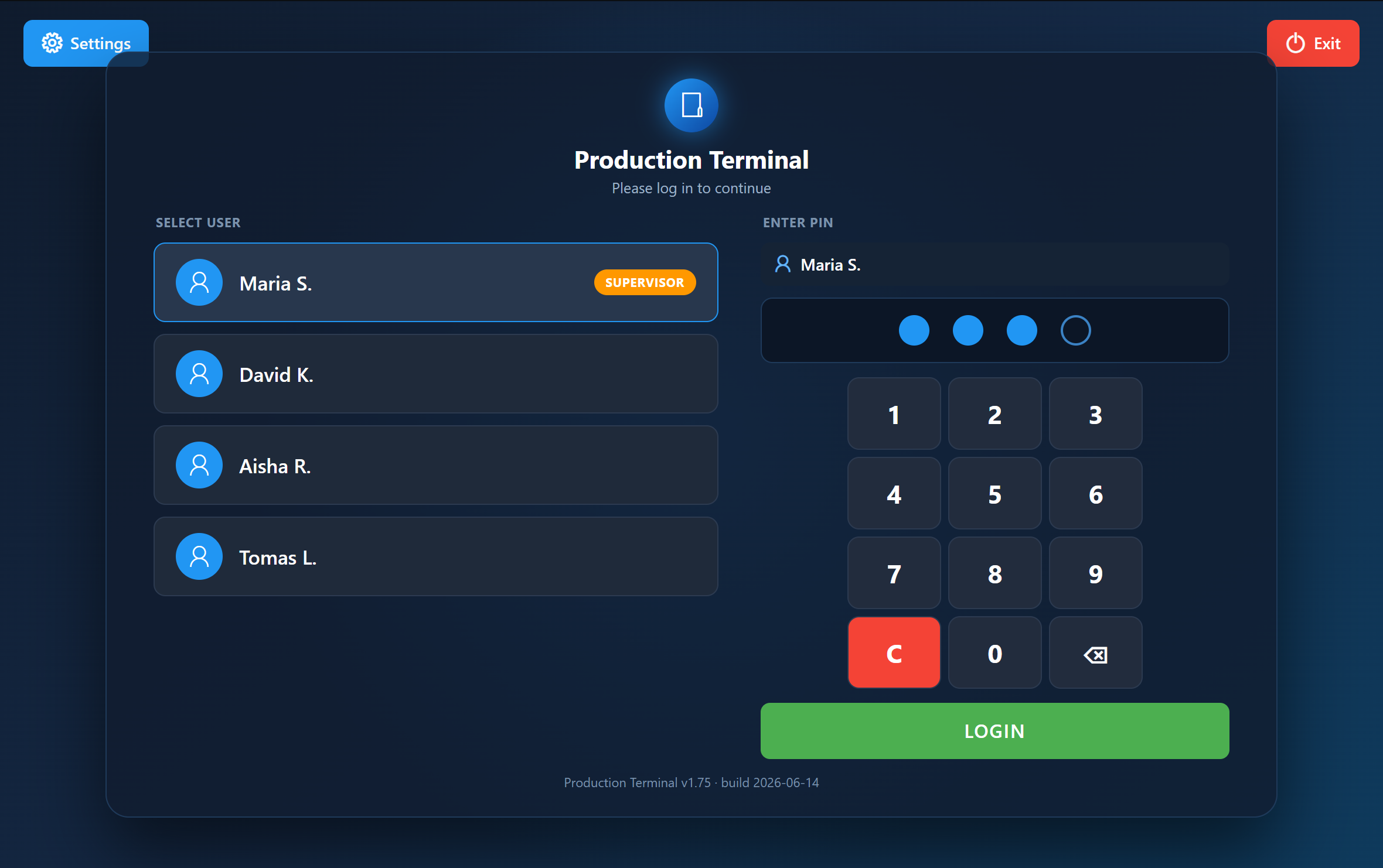
A CCP pH reading out of limits is recorded and, with auto-hold switched on, the affected lot is frozen. On the Picking handheld the held lot is greyed out with its reason. The person who raised it can’t release it; a second person releases it with their own password.
Pick a received ingredient lot and run one trace: its supplier receipt and purchase order, then every production batch that used it, level by level, down to cased finished goods.
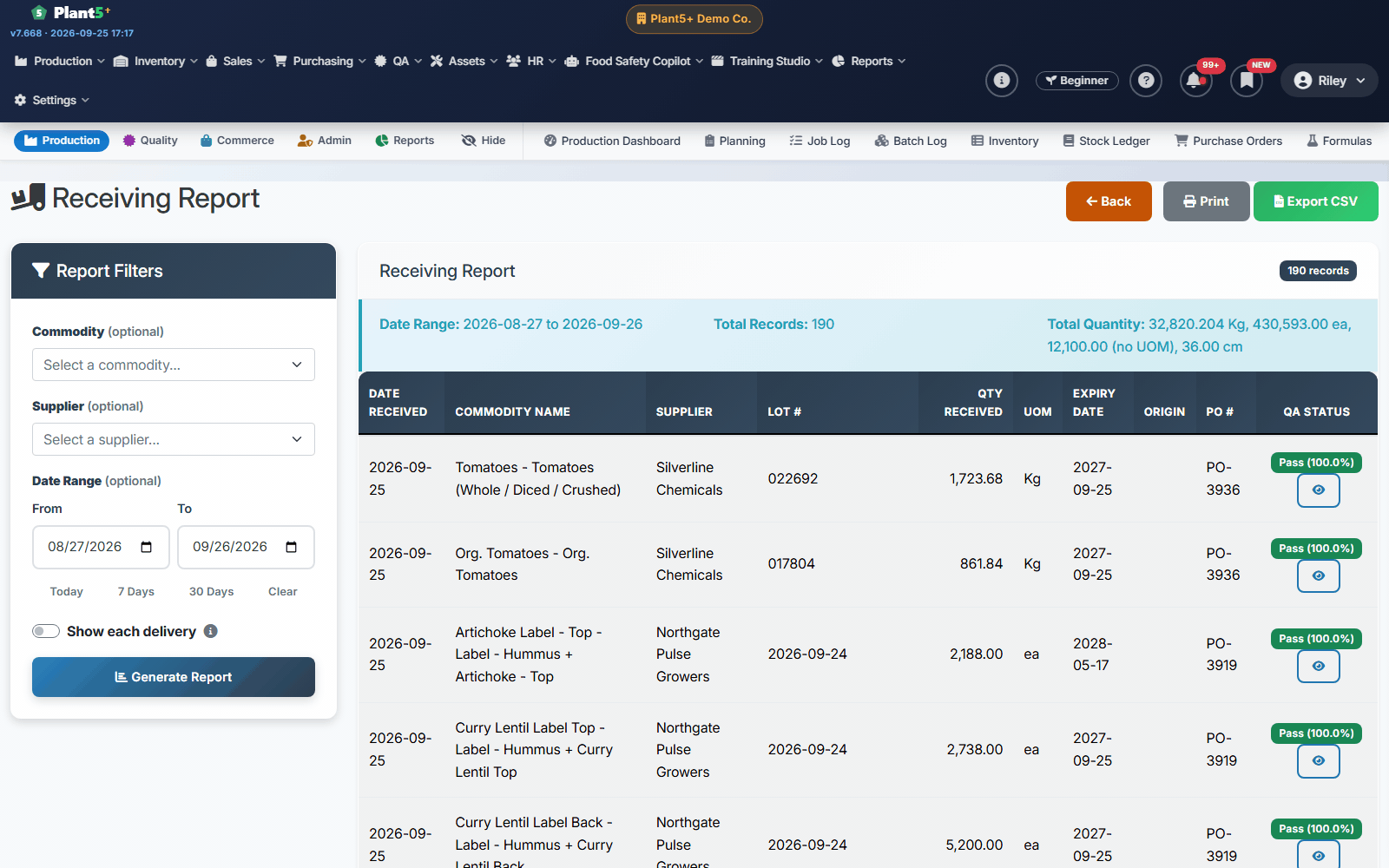
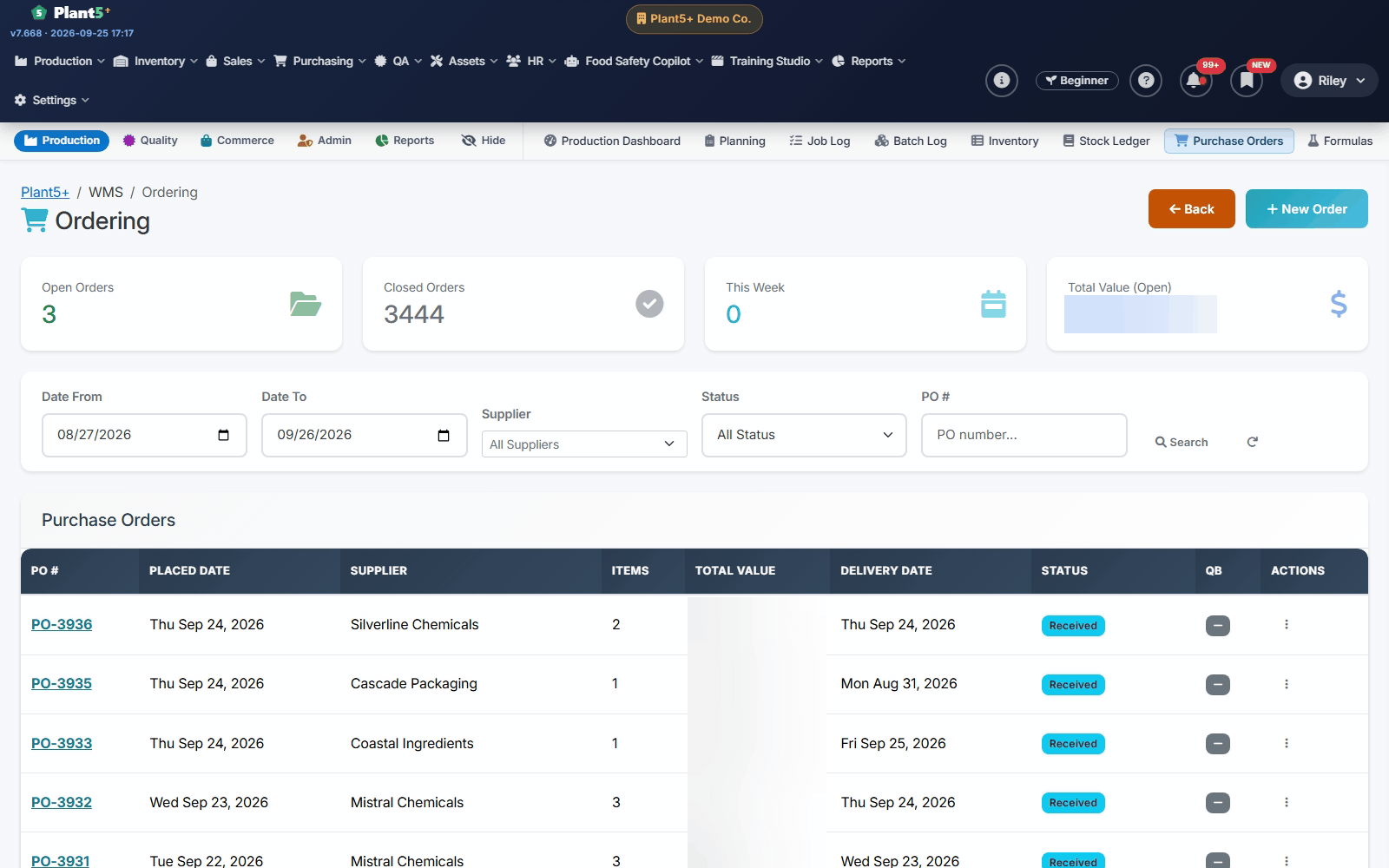
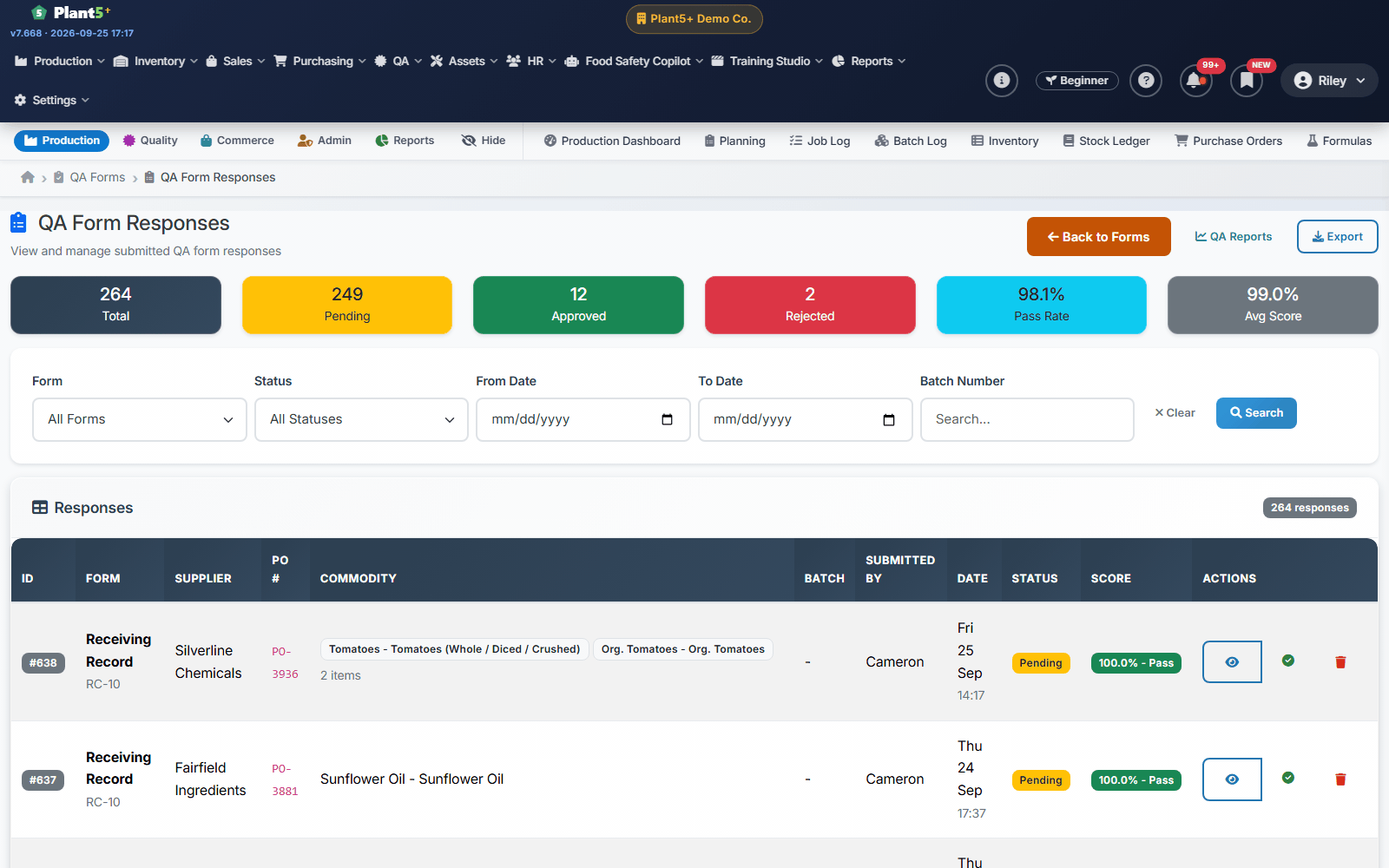
Purchase orders with their receiving status, a received order’s lines, then the receiving report: every lot’s supplier, quantity, expiry and QA result.
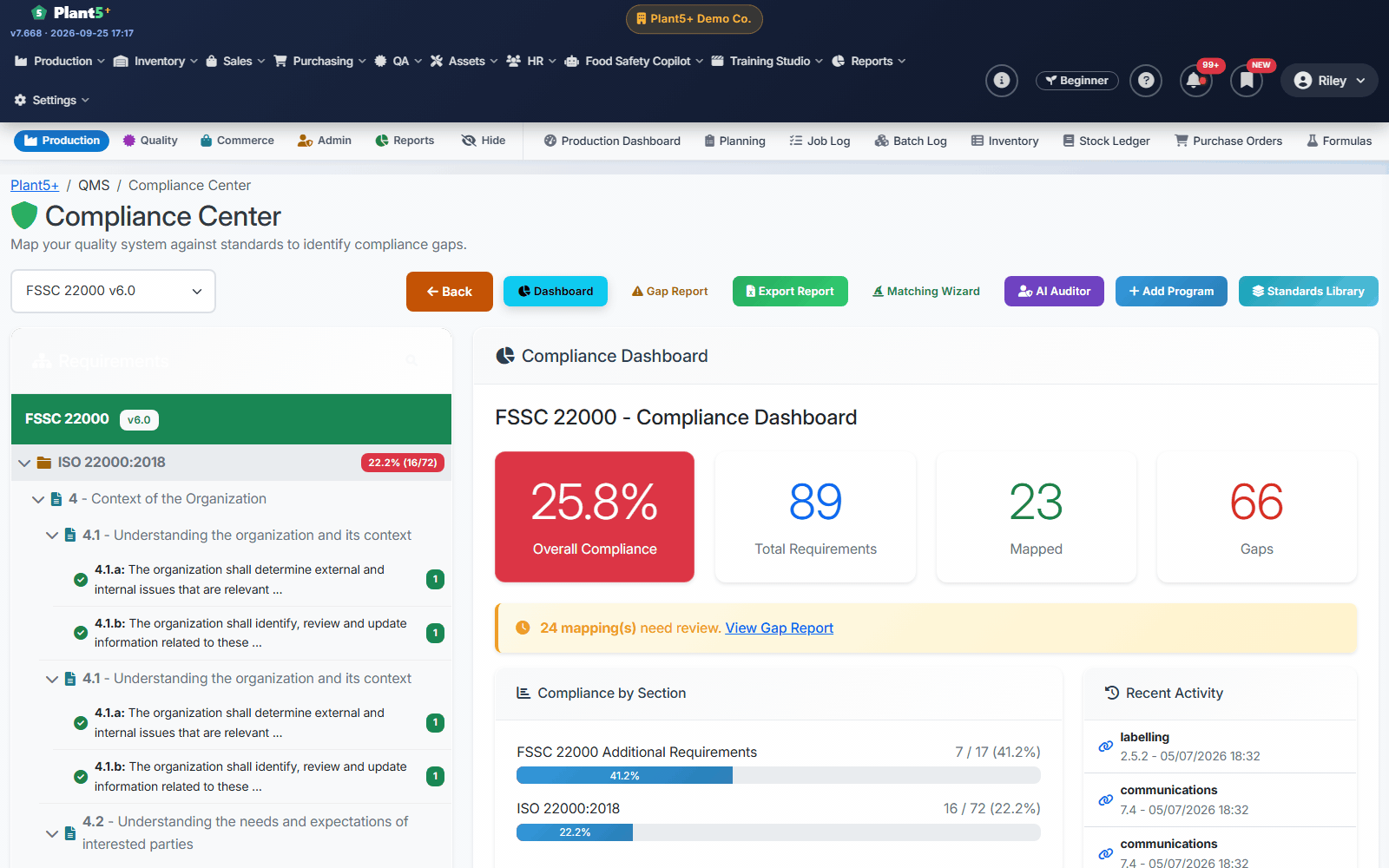
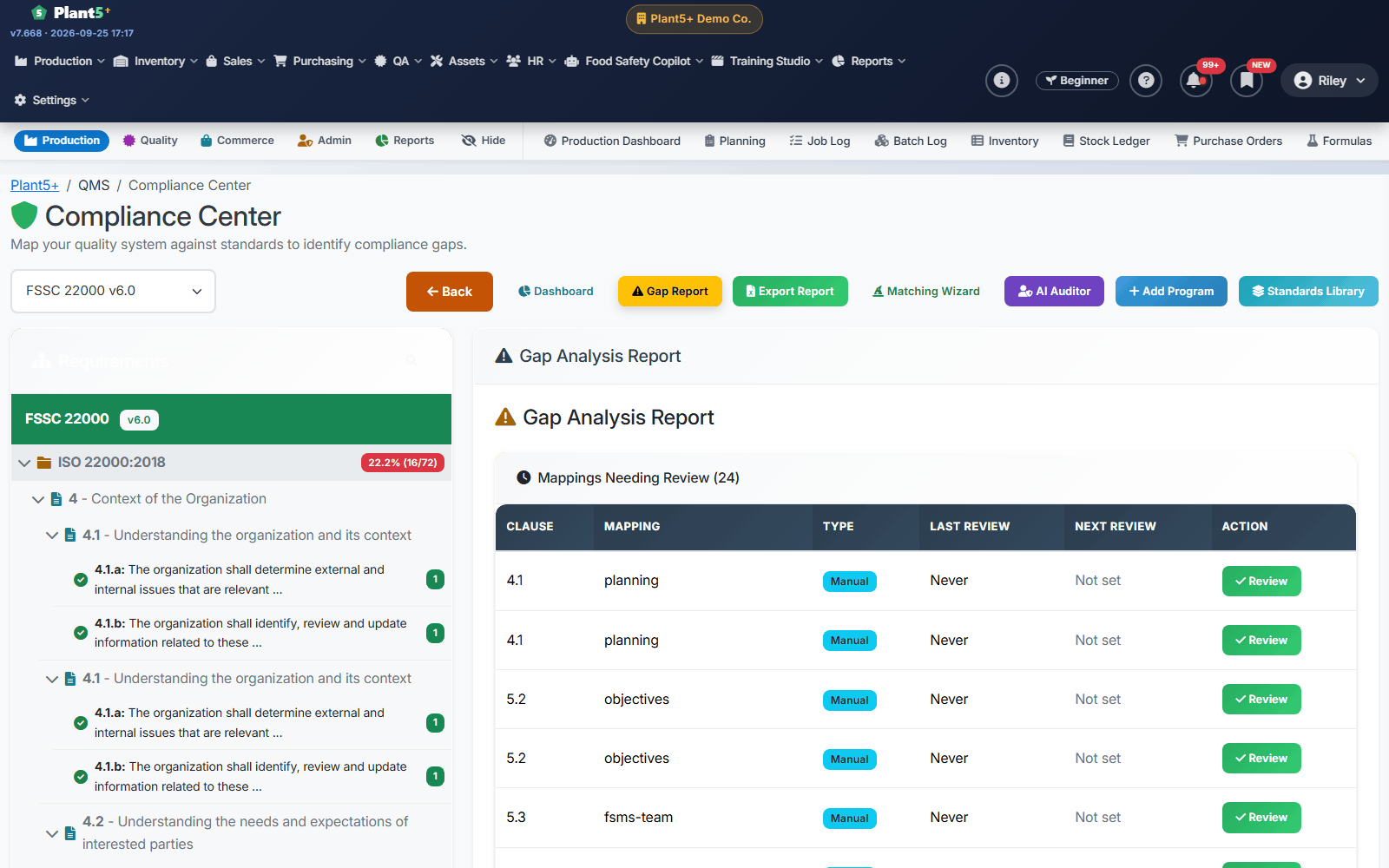
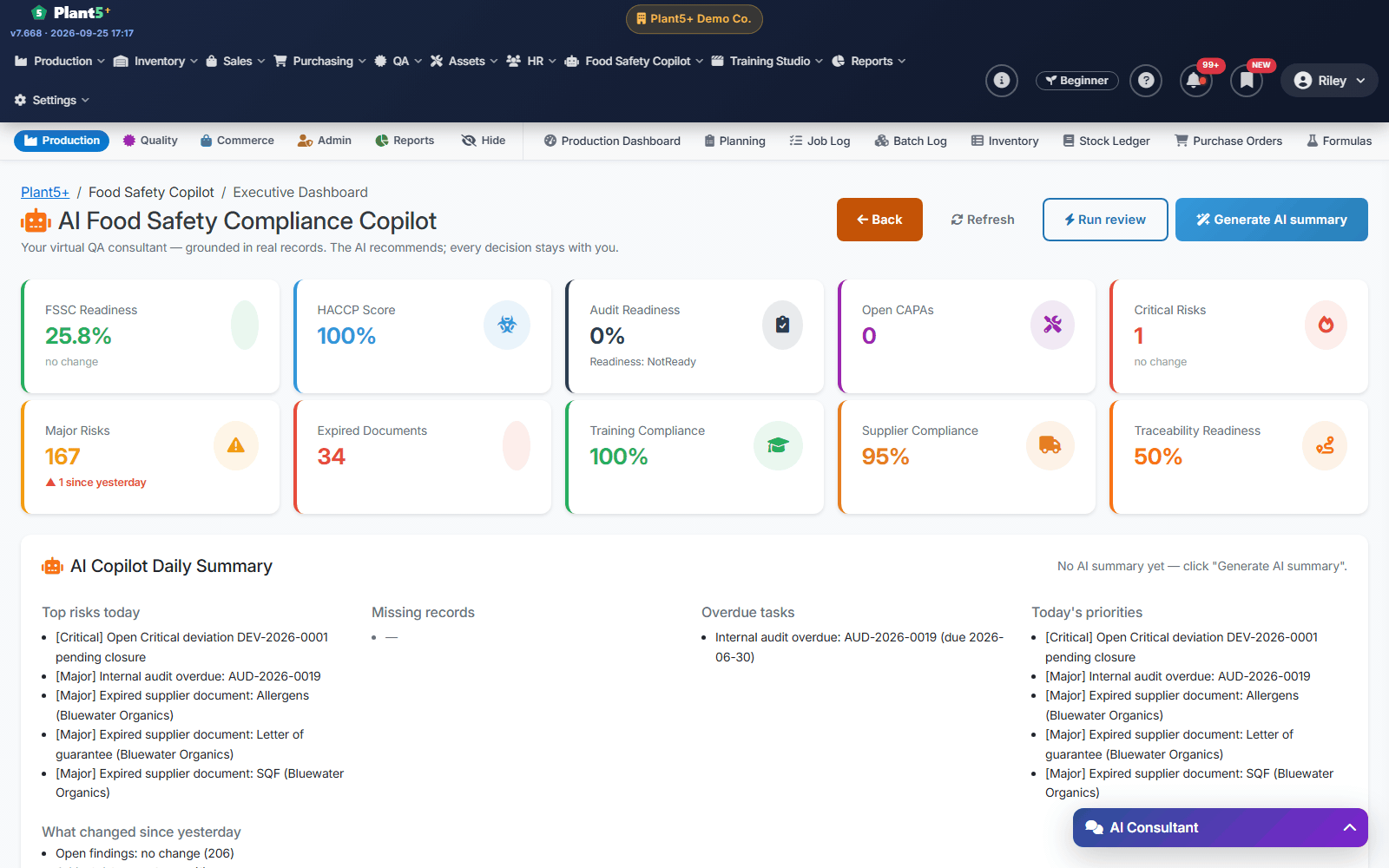
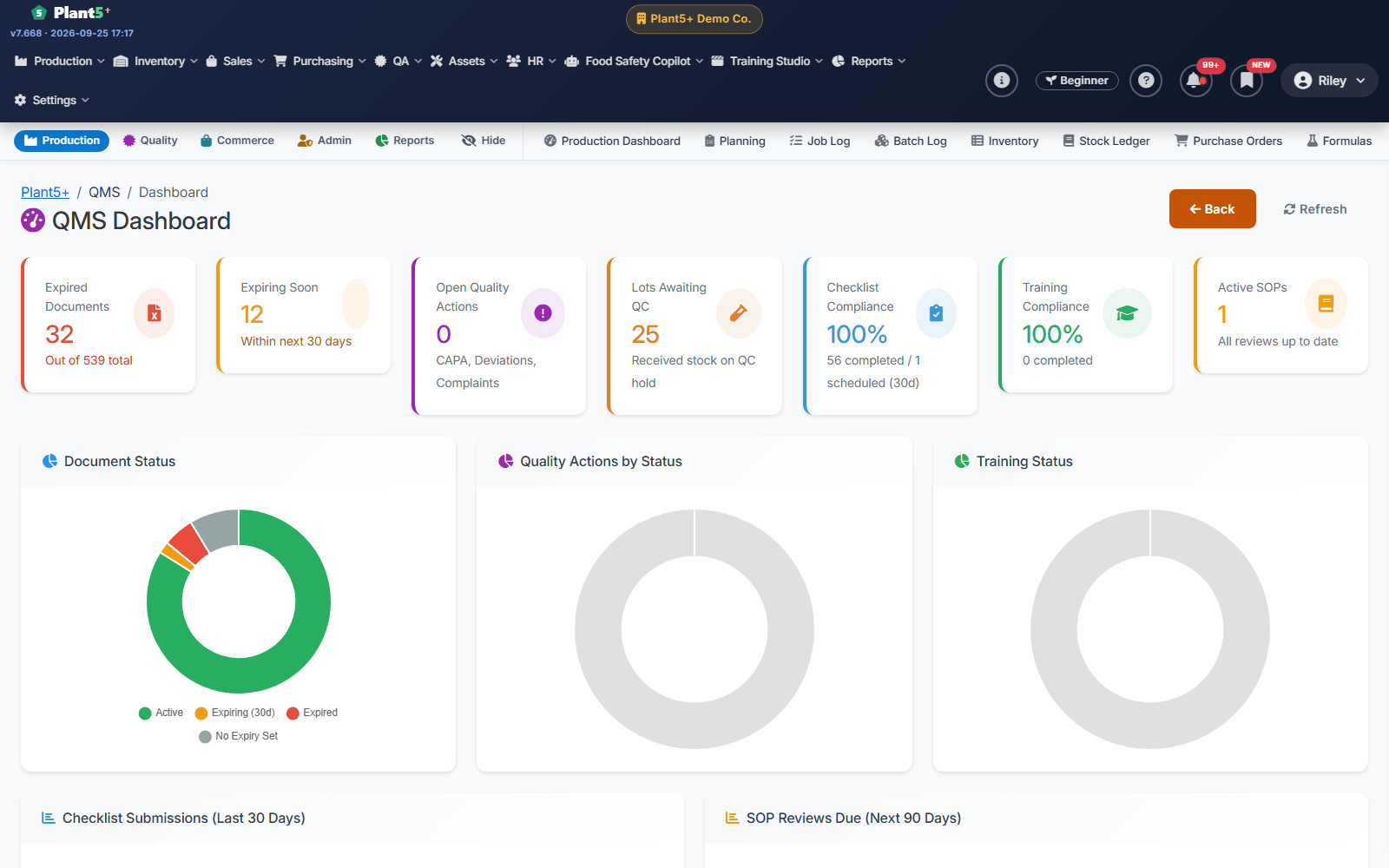
An FSSC 22000 programme mapped requirement by requirement, the automatic gap report, the food-safety dashboard’s readiness scores and top risks from the daily review, then the QMS dashboard.
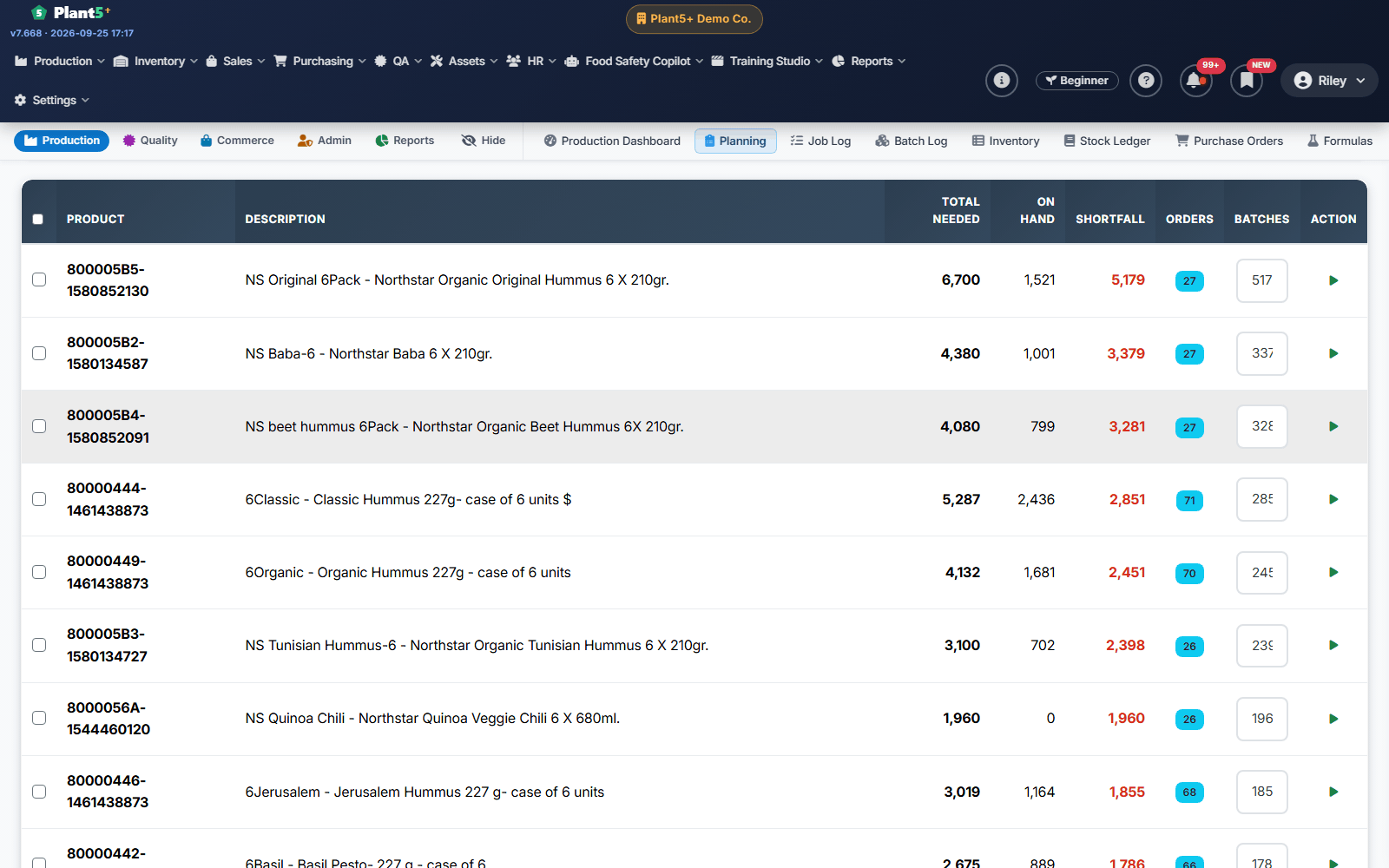
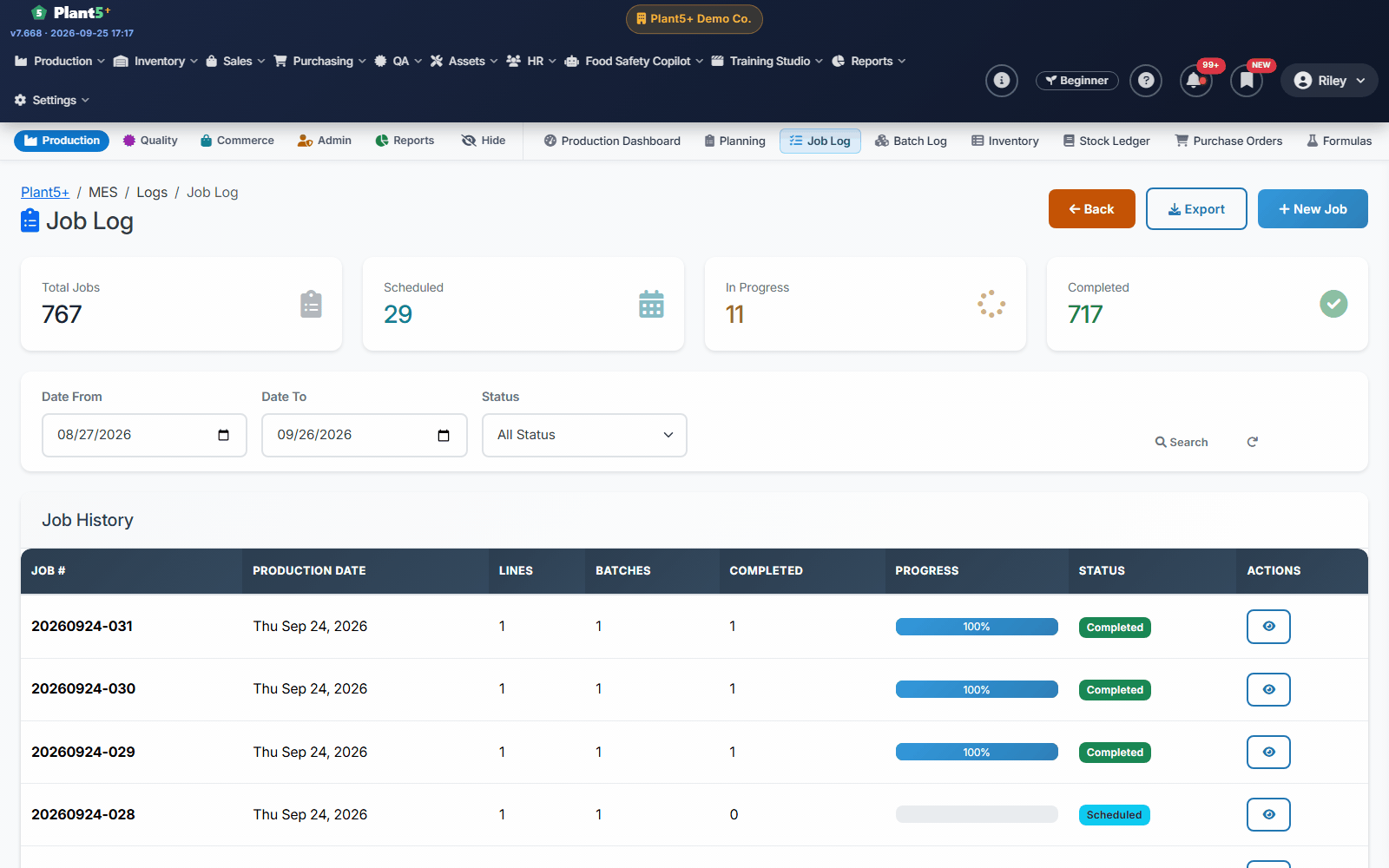
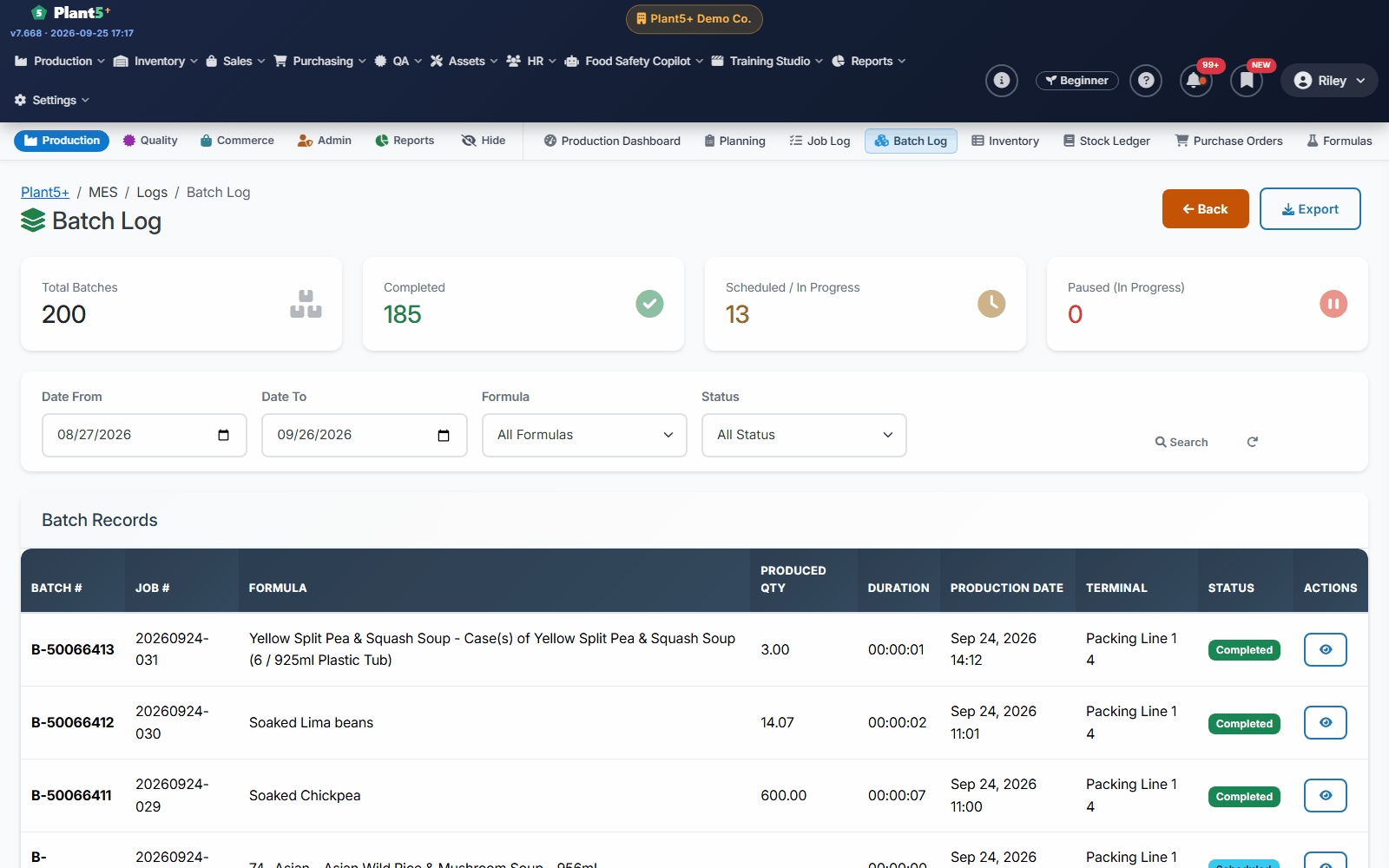
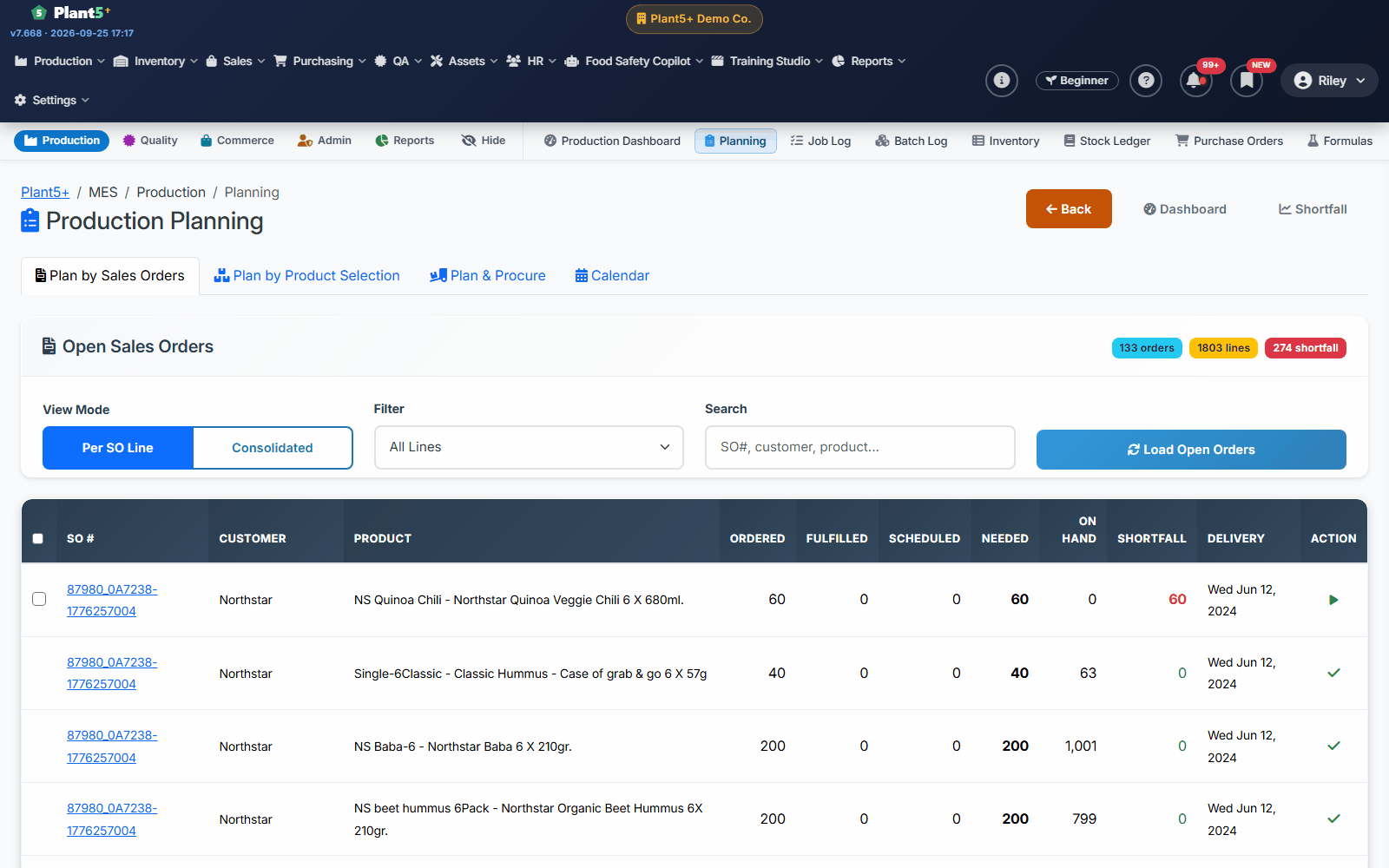
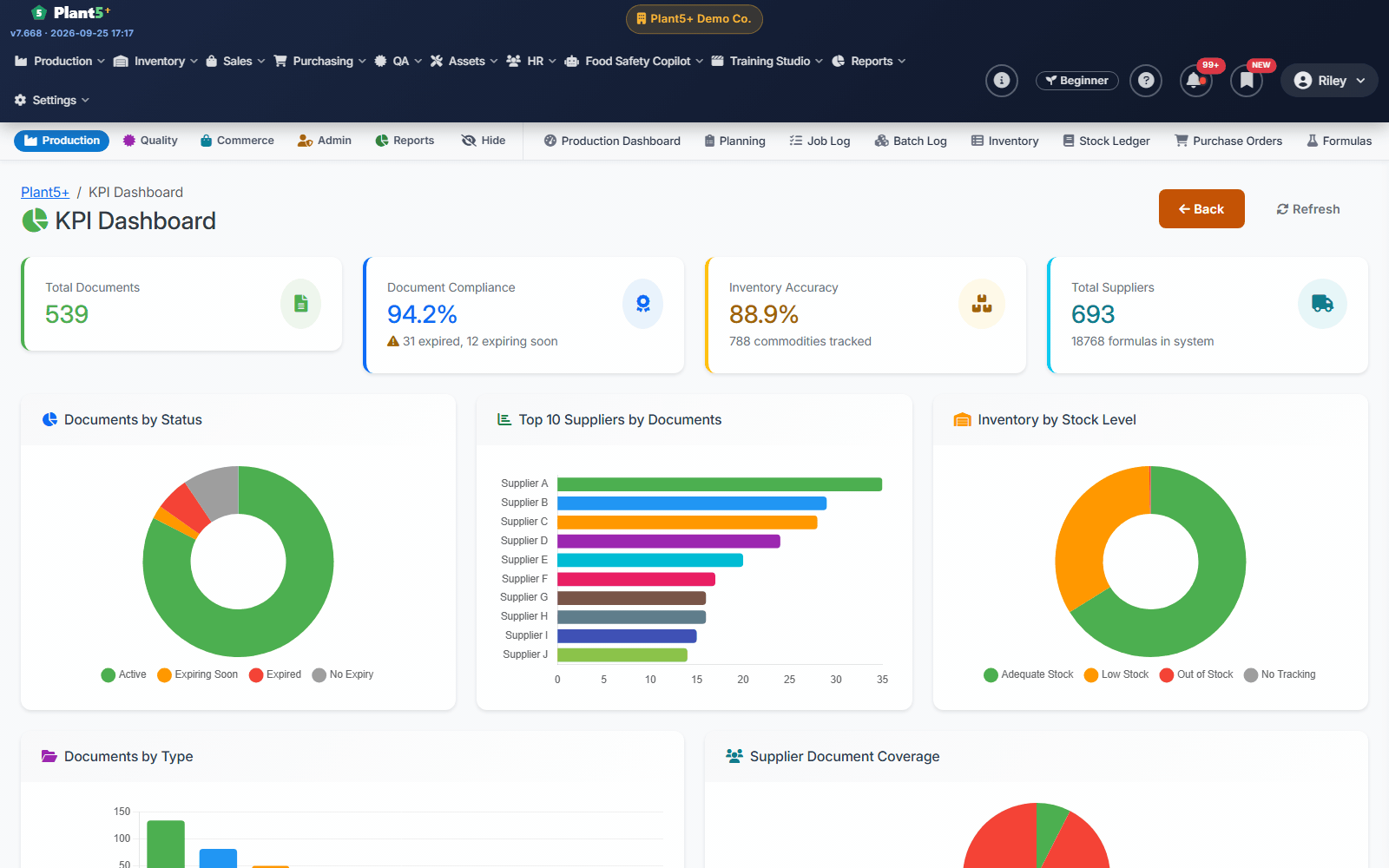
Open sales orders turned into a production plan with shortfalls flagged, the jobs and batches recorded at the floor terminals, then the live KPI dashboard.
Four newer screens from the same demonstration plant, on the devices they run on: the office browser, the floor tablet and the picker’s handheld.


Positive release. With auto-hold switched on, a CCP pH reading out of limits holds the lot. On the handheld it drops to “Not pickable” with its reason, and the release must be signed with a password by someone other than the person who raised it.


WMS
WMS
WMS
WMS
WMS
WMS
MES
MES
MES
MES
MES
MES
MES
MES
MES
MES
MES
QMS
QMS
QMS
QMS
QMS
QMS
QMS
QMS
QMS
QMS
PM
PM
PM
PM
BI
BI
BI
BIPlant5+ runs a working food plant every production day. These are the things one shared database changes structurally — not projections, but what stops being possible once the five systems finally agree.
None of the above is a projection — it is what one shared database makes structurally true. Ask us what it changed for us, including the parts that were hard.
For years, we didn't sell software. We ran a food plant — and lived every problem you're living right now.
Stock that never matched the count. Batches traced across paper and three spreadsheets. Five systems that never spoke to each other. And software written by people who'd clearly never stood at a scale in the middle of a production run.
So we stopped waiting and built our own — not as a product to sell, but as the tool we wished existed. We designed it shift after shift, on the floor, with the people who actually use it: operators, QA, maintenance, the office. Every screen had to earn its place by solving a real problem, in front of a real batch, a real scale, a real audit.
Plant5+ is that tool. It still runs our plant every single day — and we'd be glad to help it run yours.
No eighteen-month implementation. No consultants living in your boardroom. Here is the actual sequence, and what we need from you at each step.
A 20-minute call. Your lines, your SKUs, your standard, how many people are on at once. We come back with a price and a scope — in writing, in one email.
Day 1Items, formulas, customers, vendors, locations and opening stock — imported from your spreadsheets or your current system. You check it; we fix it.
Week 1Scales and scanners connected, one line live, one QA form signed on the floor. Your operators train on their own product, not a demo dataset.
Week 2–3Remaining lines, QuickBooks sync, dashboards and the compliance pack. Then two months free while you decide whether we earned it.
Week 4–6Every plan starts with a two-month free trial — no credit card, no contract, cancel with an email. Your data exports whenever you want it.
You are going to evaluate us against the system you already have. Tell us what it is, and we will walk the same workflows side by side in the demo — including where your current product is the better fit.
Name the product you use today — ERP, MES, QMS or spreadsheets — and we will show the same receiving, production, quality and shipping steps in both, live.
Ask for a side-by-side White paperThe case for one database under all five systems — what disconnection actually costs, and how to build the business case internally.
Read the white paperBook a 20-minute walkthrough, or jump straight in with a free 2-month trial. No credit card required.
Plant5+ keeps every record traceable and every login accountable, with the controls your QA team and your IT team both ask for.
Everyone sees exactly what their job needs — nothing more.
Every change is time-stamped and attributed — recall- and audit-ready.
Your plant data is protected end to end.
Trace any lot forward or backward, receiving to finished goods.
Export anytime. No lock-in, no holding your records hostage.
Run it our way or inside your own walls — your call on enterprise plans.
Plant5+ gives you the records and workflows to meet these standards: each GFSI standard is loaded as a section-and-key-clause checklist you map your records to, and the same operational records count toward every standard you run.
Every subscription is priced on three dimensions — concurrent users × modules × support level. From $200 to $2,000 per month, per plant.
All prices in CAD $ per month, per plant. Applicable taxes extra.
Small shop — the core three systems and everything needed to run the floor.
Single line — adds the quality and food-safety system on top of the core.
Multi-line — full quality stack with document control and phone support.
Large plant — the full suite, every module, with the fastest response times.
Mix and match to land anywhere between the floor and the ceiling.
Concurrent = signed in at the same time, not named accounts. Floor view-stations and read-only logins are unlimited and free.
A comparable five-system stack is normally bought as four or five separate products, plus the integration work to join them. Tell us what you run today — ask for a side-by-side.
Not sure which tier fits? Talk to us — we'll size it to your plant.
Match evidence to FSSC 22000 & HACCP requirements, ask the auditor in plain language, draft CAPAs, deviations, SOPs and procedures, summarize batch, downtime and audit history, flag anomalies, and ask your plant questions in plain language — all on your own data.
Five is the core — Warehouse, Manufacturing, Quality, Maintenance, and Business Intelligence. The "+" is everything beyond that: procurement, labor, costing, document control, integrations, and more that we keep adding.
Control Center owns sales orders. QB Sync sends invoices, credit memos, purchase orders and item receipts to QuickBooks Desktop and imports customers, vendors, non-inventory items, units of measure and price levels. See integration details.
Yes. The built-in Compliance Center maps your SOPs, checklists and records to each standard's requirements, scores your readiness, builds a prioritized action plan, and tracks every gap to closure. With the optional AI Assist add-on, an AI matching wizard auto-links existing evidence to requirements, Ask the Auditor answers questions in plain language, and "Build with AI" drafts a starter procedure for anything you're missing. Routine background checks run at no AI cost — you only spend on the on-demand AI passes you choose to run.
Three dials: concurrent users × modules × support level. Pick a packaged plan, or build your own — the base is set by how many people are signed in at once, then you add the modules and the support level you want. That puts every plant somewhere between $200 and $2,000 CAD per month, per plant.
Someone signed in at the same time — not a named account. You can create as many accounts as you like; the tier only tracks how many are actually logged in together. Floor view-stations and read-only logins are unlimited and free, so putting a screen on every line costs nothing.
Yes — all prices are in CAD, per plant, billed monthly, with applicable taxes extra. No exchange-rate surprises. Prepay annually and you get 2 months free, roughly a 17% discount. Running more than one plant? Each additional plant on the same account is 25% off its base tier.
An AI action is one AI task: drafting a CAPA, deviation or SOP, summarizing a batch or shift, flagging an anomaly, or answering a question about your data. AI Assist is an optional add-on at $69 CAD/mo with 1,000 actions included, then $25 CAD per 1,000. We meter whole actions, not tokens, so your spend is easy to predict — and you can add or cancel it anytime. Enterprise includes 2,500 actions with the add-on fee waived.
You're always in control of AI spend. Set a monthly cap and we'll alert you at 80% and 100%. When you reach it, AI Assist simply pauses — the rest of Plant5+ keeps running exactly as normal — and you can top up with one tap if you want to keep going. No silent overages, no surprise bills, ever.
Yes. Start with the core — Production, Inventory/WMS and Lot Traceability — and switch on QA, Document Control or the Sales and QuickBooks module as you're ready. Because everything shares one platform, adding a module is instant — no migration. Modules and support level can be changed at any renewal, and user tiers are trued up quarterly.
Most plants are live within a few weeks using our guided onboarding and templates. Enterprise rollouts with custom integrations vary by scope.
Plant5+ uses role-based access control, full audit trails, encryption in transit and at rest, and enterprise security practices. Enterprise plans add SSO and an on-prem option.
Yes — every plan includes a 2-month free trial, no credit card required. Sign in to get started or book a guided demo with our team.
Set the three dials above and send us what you land on, or just tell us how many lines, SKUs and people you run — we will come back with a firm price and a scope in one email. No discovery call required.
Two-month free trial · No credit card · No contract · Your data exports whenever you want it